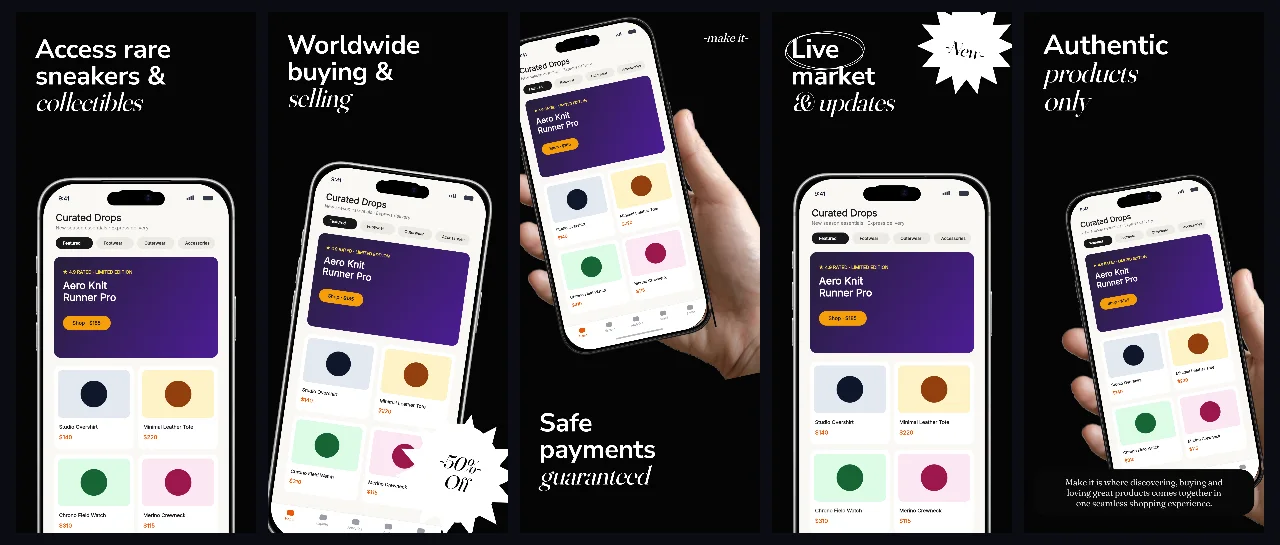
Black-obsidian resale and collector story with a handheld opening frame, spotlit product cards and tight white headlines.
Open this sequencePalette templates
Dark screenshots fail for one reason: the interface disappears into the background. These three palettes keep a deliberate separation between canvas, cards and headline so the UI still reads at search size.
Free plan ($0 forever) · Pro $69/yr · No credit card required
Three dark palettes, real renders
Black-obsidian resale and collector story with a handheld opening frame, spotlit product cards and tight white headlines.
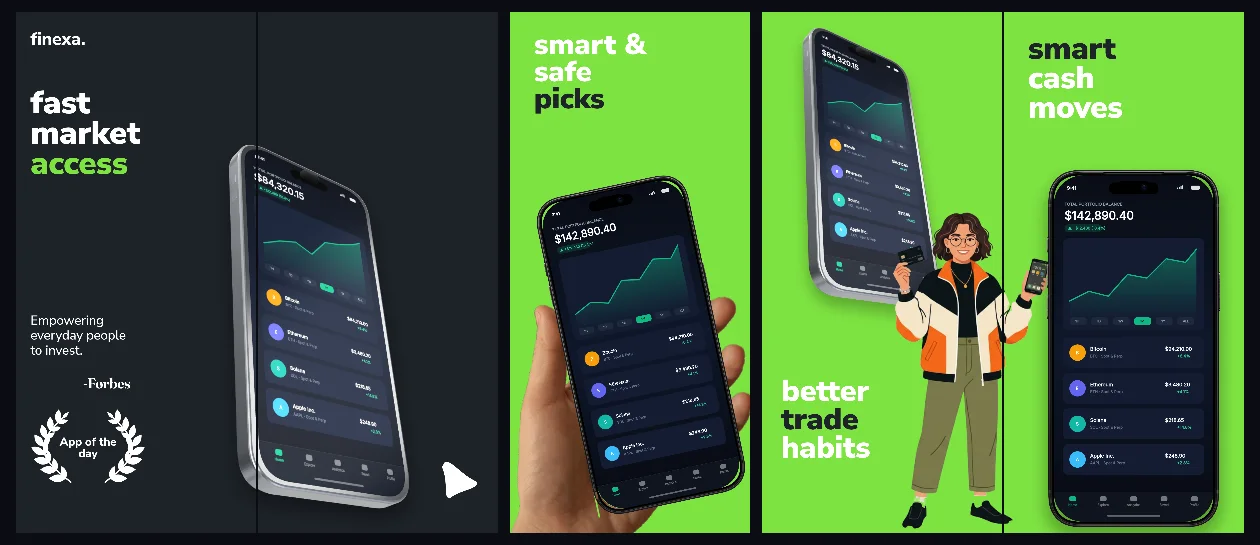
Open this sequenceDeep-green finance sequence with connected portfolio charts, restrained accent type and legible numbers at thumbnail size.
Open this sequence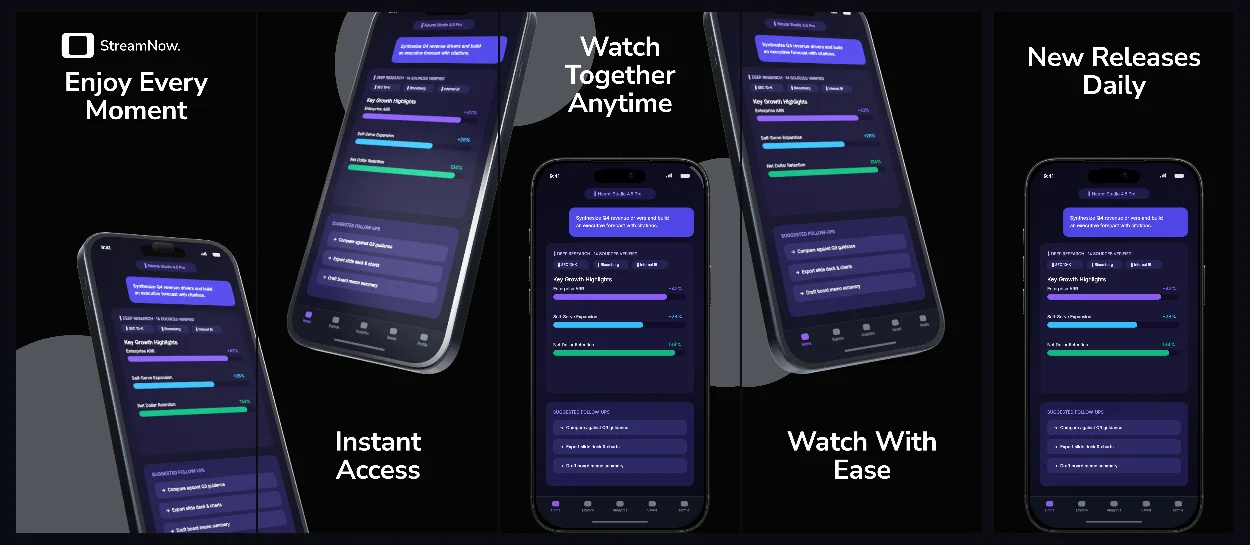
Slate-grey streaming set with a 3D tilted device, filmstrip accents and poster art kept inside its own panels.
Open this sequencePreviews come from the same five-panel SceneDoc the editor exports; the demo app screens are first-party artwork.
Practical walkthrough
A dark set fails when the app surface and the background are the same value. Pick the palette after you know which element must lead: product photography, numbers or poster art.
Give cards, charts or photos at least one visible step of lightness above the background. If a capture disappears, change the canvas rather than dimming the UI.
White display type on a near-black field blooms on OLED. Shorten the line and increase leading before lowering weight or adding shadow.
Open both sets at the same thumbnail scale. If the dark version needs different copy to hold attention, align the claims first, then the palette.
Each set keeps the background one step below the app surface — obsidian behind near-black cards, deep green behind lighter chart panels — so shapes stay visible instead of merging.
White and warm-neutral display type sits above the device frame with enough leading that a phone at 40% brightness still reads the promise.
These are ordinary five-panel SceneDocs: swap captures, recolor the canvas and keep the 3D hardware poses and badges as editable layers.
A resale app wants near-black so product photography carries the colour: the obsidian collector sequence keeps cards spotlit and headlines tight. A portfolio app needs readable numbers first, which is why the finexa market set keeps charts lighter than the canvas. Streaming and cinema apps sit between the two — the slate filmstrip reserves contrast for poster art rather than interface chrome. All three open from the cards below. For a listing that only needs one panel, the headline above device dark glow template keeps the same near-black radial canvas and puts one shadowed iPhone frame under a single headline. When the product photography is the whole story, the obsidian collector vault takes the opposite route: five panels on a flat #050505 field, white 143 px headlines and one centered iPhone frame per panel. Every panel on that same #050505 field can carry condensed type instead: the cinema gold prestige streaming set sets 155 px uppercase Oswald headlines with #F6C844 gold tail lines, bridges panels 1 and 2 with one tilted phone and names seven genres on white pills.
Dark sets are usually a second listing next to an existing light one. Compare the first panel of each side by side: if the dark version needs a different headline length or a larger badge to hold attention, fix that before uploading. The iPhone 6.9-inch screenshot sizes page is the canvas reference for both, and the minimal light palettes are the sibling direction when a listing only needs one set.
Questions
Yes. Free ($0 forever) includes the full 3D browser studio, ready-made template library, Remote MCP access to test AI agents, and unlimited draft projects with watermarked preview exports.
Never. Every scene stays an editable multi-layer SceneDoc with live text, 3D hardware poses, backgrounds, vector badges and per-locale overrides.
No ($0 AI markup). Connect Claude, ChatGPT, Cursor or Codex via https://appscreendesign.com/mcp using the AI subscription you already have.
No. The canvas is the same 1320 × 2868 px iPhone 6.9-inch slot; only the palette and contrast change.
Start with a composition. Keep every detail editable.