Replace 200 Figma frames with 1 project
Bind raw UI captures once instead of pasting updated screens into 10 panels × 4 device sizes × 15 duplicated language rows on release day.
Migration guide
Keep Figma for product UI and keep Fastlane Snapshot + Deliver for CI/CD—while replacing manual frame duplication, outdated bezels and ImageMagick text clipping in under 10 minutes.
200+ frames → 1 editable SceneDocFramefile.json → REST /v1/ or /mcpWorks with Snapshot & DeliverFree plan ($0 forever) · Pro $69/yr · No credit card required
Before vs after migration
| Release task | Manual Figma Artboards | Fastlane Frameit | AppScreenDesign Studio + API |
|---|---|---|---|
| Update 1 UI capture across 10 locales | Paste into 40–200 duplicated frames manually | Re-run ImageMagick CLI; inspect clipped lines | Upload capture once; updates every bound device & locale |
| 3D hardware & connected panoramas | Flat 2D vector mockups or external plugins | Flat 2D PNG bezel overlays only | Real 60fps WebGL 3D pitch/yaw/roll & cross-panel strips |
| 50-locale text expansion & RTL | Manual font resizing per language row | Static Framefile.json keyword/title strings | Per-locale SceneDoc overrides with RTL & CJK line breaking |
| Store PNG compliance | Frequently exports 32-bit RGBA (ITMS-90717) | Local Ruby + ImageMagick version drift | Server-verified 24-bit RGB PNG & SHA-256 ZIP bundles |
| CI/CD & AI agent automation | Manual slice selection & Export All | Ruby Gem maintenance on macOS runners | Scoped REST API (/v1/) + Remote MCP (/mcp) with $0 AI markup |
Practical walkthrough
Migrate on your next scheduled app update rather than rewriting legacy archives—most teams complete their first multi-locale project in under 10 minutes.
Pull clean simulator captures from Fastlane Snapshot, Xcode Simulator or unframed Figma UI artboards without baked-in bezels or marketing text.
Pick a composition in Studio (or create via REST/MCP), drop your raw captures into slots 1–10, and paste your primary locale headlines.
Clone into your target App Store Connect locales, visually inspect long German or RTL Arabic headlines in seconds, and download compliant 24-bit PNGs.
Bind raw UI captures once instead of pasting updated screens into 10 panels × 4 device sizes × 15 duplicated language rows on release day.
Swap only the brittle middle step (fastlane frameit + local ImageMagick) for AppScreenDesign’s deterministic REST Editor API or Remote MCP Server.
Every exported ZIP bundle is server-verified as exact store dimensions in 24-bit opaque RGB PNG format—no 1321px rounding or alpha rejections.
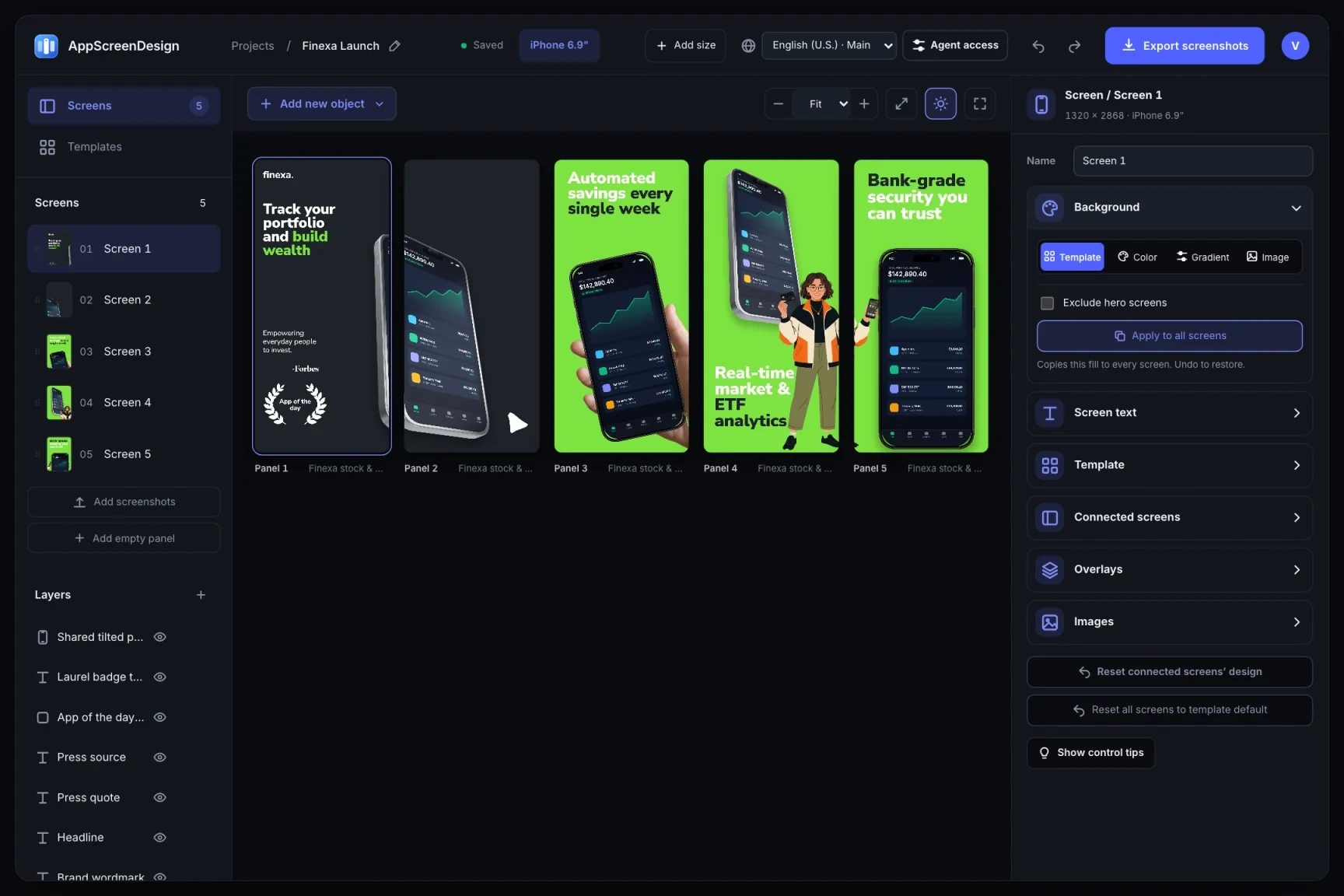
Export clean unframed screen captures from your simulator or Figma UI frames at native device resolution. Create a project in AppScreenDesign, choose a 3D or minimal multi-panel template, upload your raw captures, and copy your primary headlines into live SceneDoc text layers. Add your target App Store Connect locales in bulk—each locale inherits your layout while letting you override long German or RTL Arabic lines without detaching components.
Continue running XCUITest / Fastlane Snapshot to generate localized raw simulator screenshots. Instead of invoking ImageMagick via Framefile.json, call AppScreenDesign’s scoped REST API (/v1/) or connect Claude Code / CI over Remote MCP to upload fresh captures, render 3D titanium scenes on the server, download the SHA-256-verified ZIP, and pass the output folder directly to Fastlane Deliver.
Questions
No. Fastlane Snapshot is an excellent way to capture raw localized simulator screens. Feed those raw PNGs into AppScreenDesign for 3D framing and typography, then upload with Fastlane Deliver.
Yes. Unlike CLI-only framing scripts, every API or MCP project opens in the 60fps browser Studio so designers can nudge camera angles or line breaks visually before final export.
Yes. Free ($0 forever, no credit card) includes the full 3D Studio, template library, 50 locales and Remote MCP testing with watermarked preview exports.
Start with a composition. Keep every detail editable.