A clear starting point
Single-screenshot listings that need one strong panel
Single-panel template
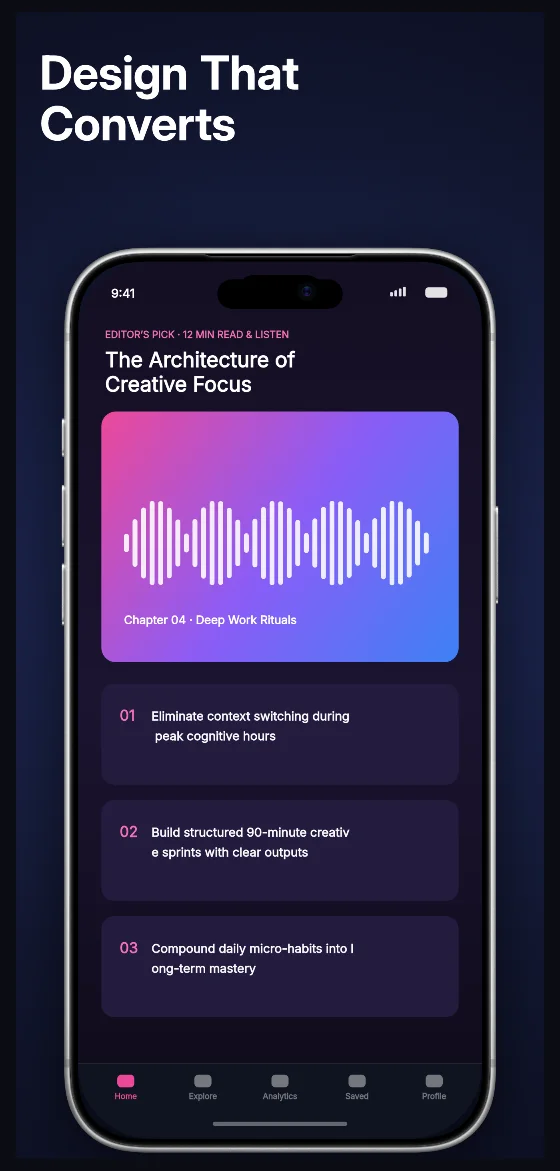
One 1320 × 2868 panel: a three-stop radial from #243065 at the centre to #080A16 at the edge, a 118 px white headline across the top band, and one iPhone 6.9-inch frame fitted into the space below it.
Free plan ($0 forever) · Pro $69/yr · No credit card required
Every background fill, gradient stop and headline color remains editable in Studio.
Practical walkthrough
Replace the one device slot with your capture; the frame resizes to the region below the headline automatically.
Keep the headline to three lines or fewer — the box is 402 px tall at 118 px type with 1.08 leading, so a fourth line shrinks the whole block.
Swap the three radial stops rather than the device to change the mood, then export the 1320 × 2868 panel.
Single-screenshot listings that need one strong panel
Premium and subscription apps selling a mood, not a feature list
Listings where the first panel later becomes a light set’s contrast pair
This page is a single scene, not a five-panel sequence: one 1320 × 2868 px canvas, which is the iPhone 6.9-inch screenshot slot. The background is a radial with three stops — #243065 in the middle, #121732 at 55% and #080A16 at the edge — so the centre glow lifts the hardware off a near-black field without a photo or texture. The headline sits in a box inset 59 px from the left and 100 px from the top, 1201 px wide and 402 px tall, at 118 px Inter Bold with 1.08 leading; the frame is fitted into the region below that band with a black shadow at 50% opacity, 143 px blur and a 29 px downward offset. Text, background stops, shadow and device all stay editable layers, so the same panel can become a light set later by swapping the radial for a flat paper background. It belongs to the dark-mode App Store screenshot templates family, and the five-panel Finexa market portfolio set is the sequence version of the same dark direction, and the obsidian collector vault runs the darkest of the three palettes as a five-panel resale showcase.
Questions
Yes. Upload your own PNG, JPEG or WebP app captures when creating the project and every device slot updates automatically.
Yes. The template opens as structured text, image, device and vector layers—never a flattened bitmap.
Yes. Connect https://appscreendesign.com/mcp in Claude, ChatGPT, Cursor or Codex and use the copyable prompt on this page.
Start with a composition. Keep every detail editable.