Keep your Fastlane Snapshot & Deliver pipeline
Capture raw UI screens with XCUITest/Snapshot, push them to AppScreenDesign via REST or MCP, and feed the exported ZIP straight into Fastlane Deliver.
Comparison
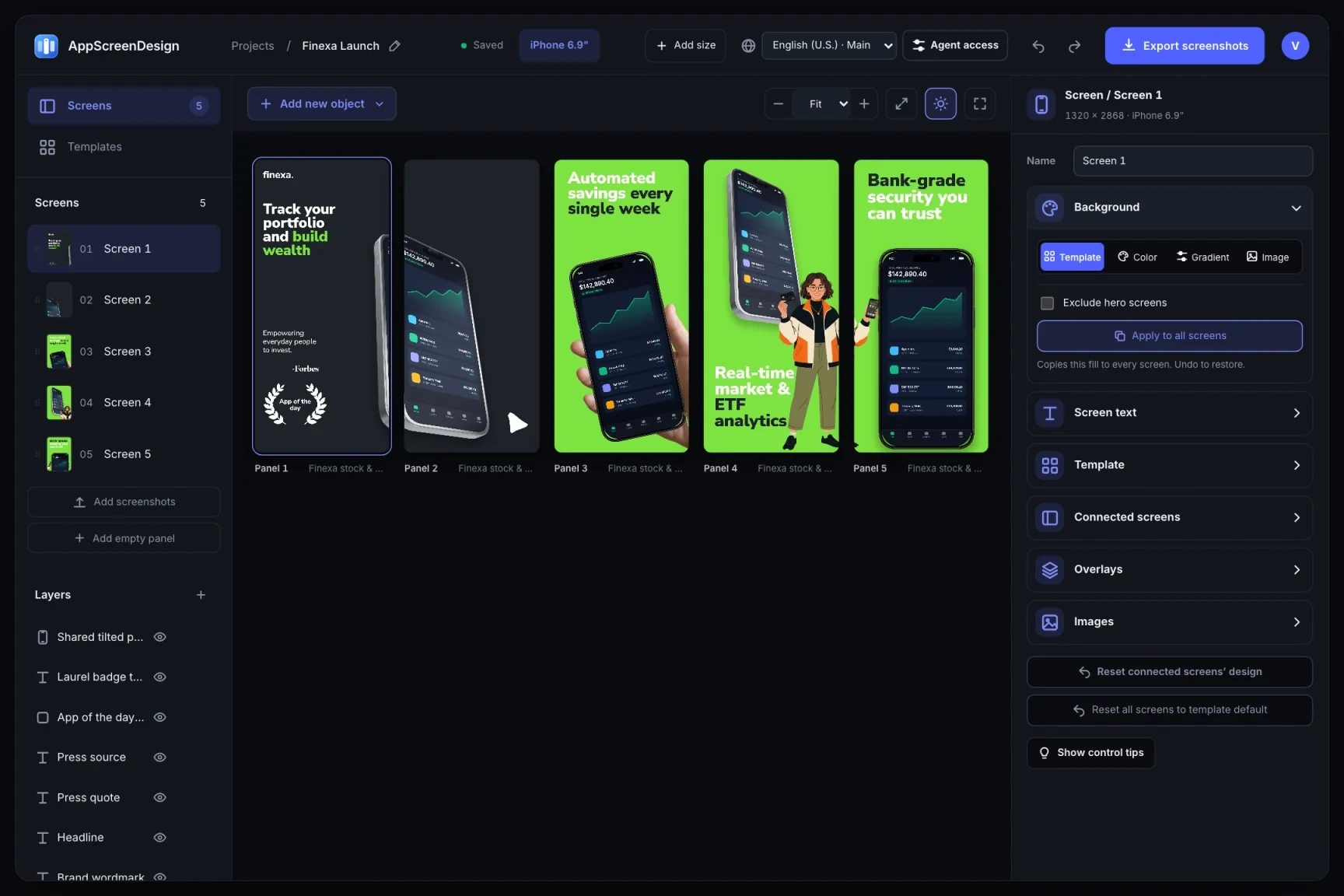
Fastlane Frameit pioneered automated framing years ago, but teams often hit outdated bezels, brittle Framefile.json text wrapping, and flat 2D output. AppScreenDesign pairs CI-ready REST + MCP APIs with a live 3D visual editor.
iPhone 18 Pro Max, iPhone Duo, iPad Pro M5, Watch S11, Mac M5 + 3D3D scenes, handheld frames, exploded UI crops, connected panoramasRich word-level styling, CJK/RTL line breaking + visual canvas tweaksFree plan ($0 forever) · Pro $69/yr · No credit card required
Side-by-side comparison
| Capability | AppScreenDesign | Fastlane Frameit |
|---|---|---|
| Device bezels & 3D hardware | iPhone 18 Pro Max, iPhone Duo, iPad Pro M5, Watch S11, Mac M5 + 3D | Legacy flat bezels requiring manual community PNG maintenance |
| Layout capabilities | 3D scenes, handheld frames, exploded UI crops, connected panoramas | Single centered 2D frame + top/bottom keyword/title text |
| Typography & RTL/CJK | Rich word-level styling, CJK/RTL line breaking + visual canvas tweaks | ImageMagick text boxes prone to clipping on German/Arabic |
| Automation surface | Scoped REST API + Remote OAuth MCP + deterministic ZIP manifest | Ruby CLI + local ImageMagick dependency |
| Visual finishing pass | Full browser studio on the exact same project | Edit JSON offsets and re-run CLI blindly |
Comparison reflects publicly documented capabilities and standard subscription models as of 2026. All third-party product names belong to their respective owners.
Practical walkthrough
Keep automated UI capture in Xcode/Fastlane while upgrading framing and typography to AppScreenDesign.
Run XCUITest or Fastlane Snapshot to output unframed simulator PNGs per locale.
Push updated captures to stable asset slots and trigger server renders programmatically.
Open the project in Studio to tweak any overflowing German or Arabic headline before running Fastlane Deliver.
Capture raw UI screens with XCUITest/Snapshot, push them to AppScreenDesign via REST or MCP, and feed the exported ZIP straight into Fastlane Deliver.
Automate 95% of your 50-locale build via API, then open the project URL in your browser to nudge any long translated headline in two seconds.
Server-side WebGL + high-DPI rasterization runs identically regardless of developer macOS or CI runner versions.
Frameit excels at basic QA framing, but App Store conversion today competes against angled 3D hero scenes, multi-device compositions and connected panoramas that ImageMagick scripts cannot express.
Every AppScreenDesign panel is a validated SceneDoc JSON object with optimistic concurrency revisions—giving engineers clean automation and designers full visual control.
Questions
Yes. Free ($0 forever) includes the full 3D browser studio, ready-made template library, Remote MCP access to test AI agents, and unlimited draft projects with watermarked preview exports.
Never. Every scene stays an editable multi-layer SceneDoc with live text, 3D hardware poses, backgrounds, vector badges and per-locale overrides.
No ($0 AI markup). Connect Claude, ChatGPT, Cursor or Codex via https://appscreendesign.com/mcp using the AI subscription you already have.
Start with a composition. Keep every detail editable.