Tune de-DE typography independently
Drop a headline’s font size by 6–8pt on de-DE alone so your English hero stays bold while German compounds fit cleanly on two lines.
Localization guide
German (de-DE) headlines routinely run 25% to 35% longer than English, breaking rigid templates. In AppScreenDesign, you can tune de-DE font size or wrapping without touching your main English design.
de-DE (German)Left-to-Right (LTR)+20% to +35% horizontal expansion · Long compound nounsFree plan ($0 forever) · Pro $69/yr · No credit card required
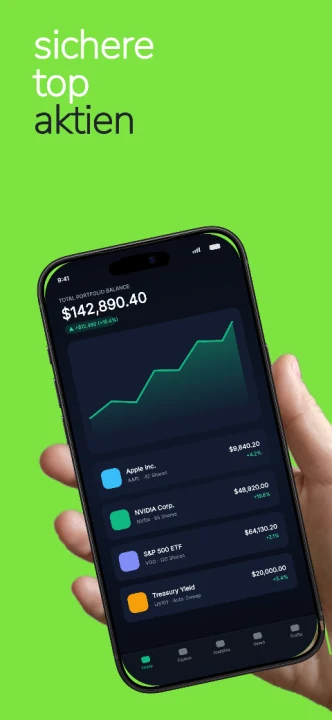
All 50 App Store Connect locales are built into every AppScreenDesign project with independent copy, raw captures and layout overrides.
Practical walkthrough
Handle +30% horizontal text growth cleanly using per-locale overrides.
Start from your primary set so brand colors, 3D poses and capture slots match.
Prefer short verb phrases over long compound nouns in top-level store headlines.
Scale down overflowing headlines slightly on de-DE without shrinking English or Japanese.
Drop a headline’s font size by 6–8pt on de-DE alone so your English hero stays bold while German compounds fit cleanly on two lines.
Instead of nominalized 24-letter compounds, prompt your MCP agent for crisp active German phrasing targeting the same character budget.
Bind de-DE raw captures showing 24-hour timestamps and comma decimal formatting (19,99 €) for instant local credibility.
If your template survives de-DE cleanly, French (fr-FR), Spanish (es-ES) and Portuguese (pt-BR) almost always fit comfortably too.
When an agent updates de-DE via MCP, render a quick panel preview to verify zero text-to-device collisions before exporting the release ZIP.
Questions
Yes. Free ($0 forever) includes the full 3D browser studio, ready-made template library, Remote MCP access to test AI agents, and unlimited draft projects with watermarked preview exports.
Never. Every scene stays an editable multi-layer SceneDoc with live text, 3D hardware poses, backgrounds, vector badges and per-locale overrides.
No ($0 AI markup). Connect Claude, ChatGPT, Cursor or Codex via https://appscreendesign.com/mcp using the AI subscription you already have.
Start with a composition. Keep every detail editable.