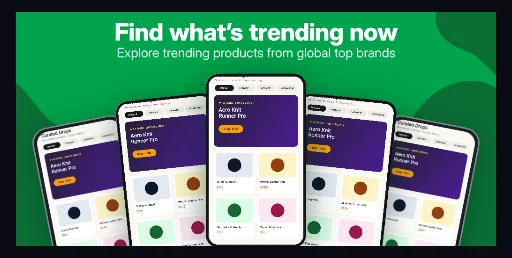
Centered headline over an emerald field with organic forest waves and a fanned multi-screen marketplace showcase on the right.
Open this bannerPlay Store templates
Play Console asks for exactly 1024 × 500 px and overlays a play button whenever a promo video is attached. Start from a banner whose copy already sits inside the guarded band.
Free plan ($0 forever) · Pro $69/yr · No credit card required
Real 1024 × 500 renders
Centered headline over an emerald field with organic forest waves and a fanned multi-screen marketplace showcase on the right.
Open this banner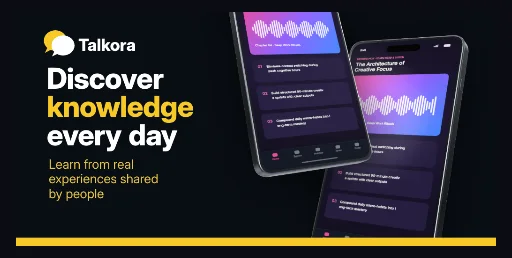
Dark charcoal banner with amber keyword emphasis, a dual speech-bubble mark and two overlapping 3D Android phones.
Open this banner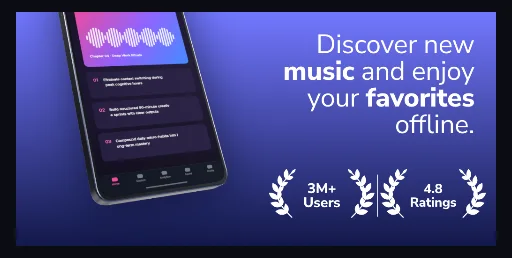
Periwinkle-to-navy gradient with a tilted 3D Android phone on the left and a right-aligned four-line headline.
Open this bannerPreviews are rendered from the same 1024 × 500 SceneDoc the editor exports; they are first-party demo art, not customer artwork.
Practical walkthrough
A feature graphic is checked at two sizes: 1024 × 500 px in the console and roughly 320 px wide in compact Play cards. Both have to read, and the outer 7.5% of the canvas can be cropped by video covers and collection slots.
Place the app name or one benefit inside the 870 × 424 px band and leave the edges to background art. Nothing essential belongs in the outer 77 px columns or 38 px rows.
Aim for about 45 characters at the 470 px / 46 px type setting. Move qualifiers into the supporting line instead of letting the renderer drop a fourth line.
Download the PNG and look at it 320 px wide. If the badge or subtitle disappears, cut copy rather than shrinking type below the rest of the banner.
1024 × 500 px, exported as a 24-bit PNG with no alpha channel — the format Google Play Console lists for feature graphics, alongside JPEG.
Badge, headline and subtitle sit inside the 870 × 424 px band that survives Play’s 7.5% per-edge cutoff guide: 77 px left and right, 38 px top and bottom.
Headline, subtitle, badge, device art and background waves stay separate SceneDoc layers, so a campaign swap is a text and color edit rather than a redraw.
The feature graphic is reused as a video cover, in large-format collections and in promotion slots, and each surface crops further inward than the last. That is why the guarded band matters more than the outer 1024 × 500 frame. Check a finished file against the free Play feature graphic generator, which draws the same guide at 77 px and 38 px and writes an opaque PNG.
The renderer wraps a headline at 470 px with 46 px type, 54 px leading and a hard limit of three lines — a fourth line is dropped, not shrunk. Keep the headline near 45 characters and move the qualifier into the 110-character supporting line. The phone screenshots that sit below the banner follow a different budget: Google Play screenshot sizes cover the 1080 × 1920 requirement for promotion eligibility. The emerald fanned market Play banner is that layout as a page of its own: three fanned Android frames on the right, headline and supporting line as separate layers, all inside the guarded band. For dark listings the midnight amber forum banner keeps the same guarded band on a #090E14 charcoal field, with amber limited to the emphasis word, the brand mark and an 18 px bar along the bottom edge. A health or clinic listing that wants serif brand type instead of heavy sans can start from the royal care digest Play banner: a flat royal-blue field, white and navy ring accents and one upright Android phone, with the headline box starting 68 px from the left — nine pixels inside the 77 px crop guide, so shift it inward before you attach a promo video. Navigation and map apps get a wider canvas in the sky route tablet duo banner: one landscape Android tablet, one portrait phone and a red location pin over a sky-blue gradient.
Questions
Yes. Free ($0 forever) includes the full 3D browser studio, ready-made template library, Remote MCP access to test AI agents, and unlimited draft projects with watermarked preview exports.
Never. Every scene stays an editable multi-layer SceneDoc with live text, 3D hardware poses, backgrounds, vector badges and per-locale overrides.
No ($0 AI markup). Connect Claude, ChatGPT, Cursor or Codex via https://appscreendesign.com/mcp using the AI subscription you already have.
Yes. Badge, headline and supporting line are text layers, so a localized version is a copy edit per locale; the device art and background waves stay untouched.
Start with a composition. Keep every detail editable.