App Review
Fixing screenshot rejections that block a release
A screenshot rejection holds the whole version, and the message almost never names a single bad image. Review judges the set you submitted for a device size against guideline 2.3.3, so the first move is arithmetic and the second is artwork. Read the cited rule, count the panels that show the interface, then open the file that breaks the count.
By AppScreenDesign · Published · Updated
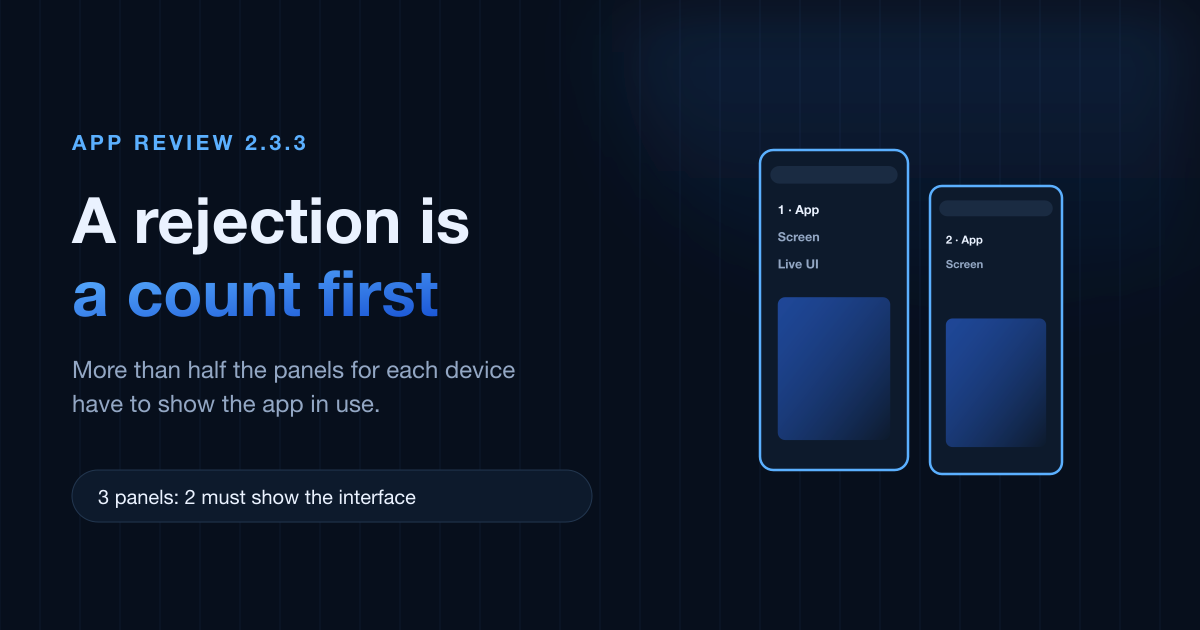
A rejection cites a rule, not a panel
The rejection text in App Store Connect names a guideline, and for screenshots it is usually 2.3.3. The wording is narrow: screenshots "should show the app in use, and not merely the title art, login page, or splash screen." Treatment follows from the whole set, which is why swapping one image rarely clears the rejection.
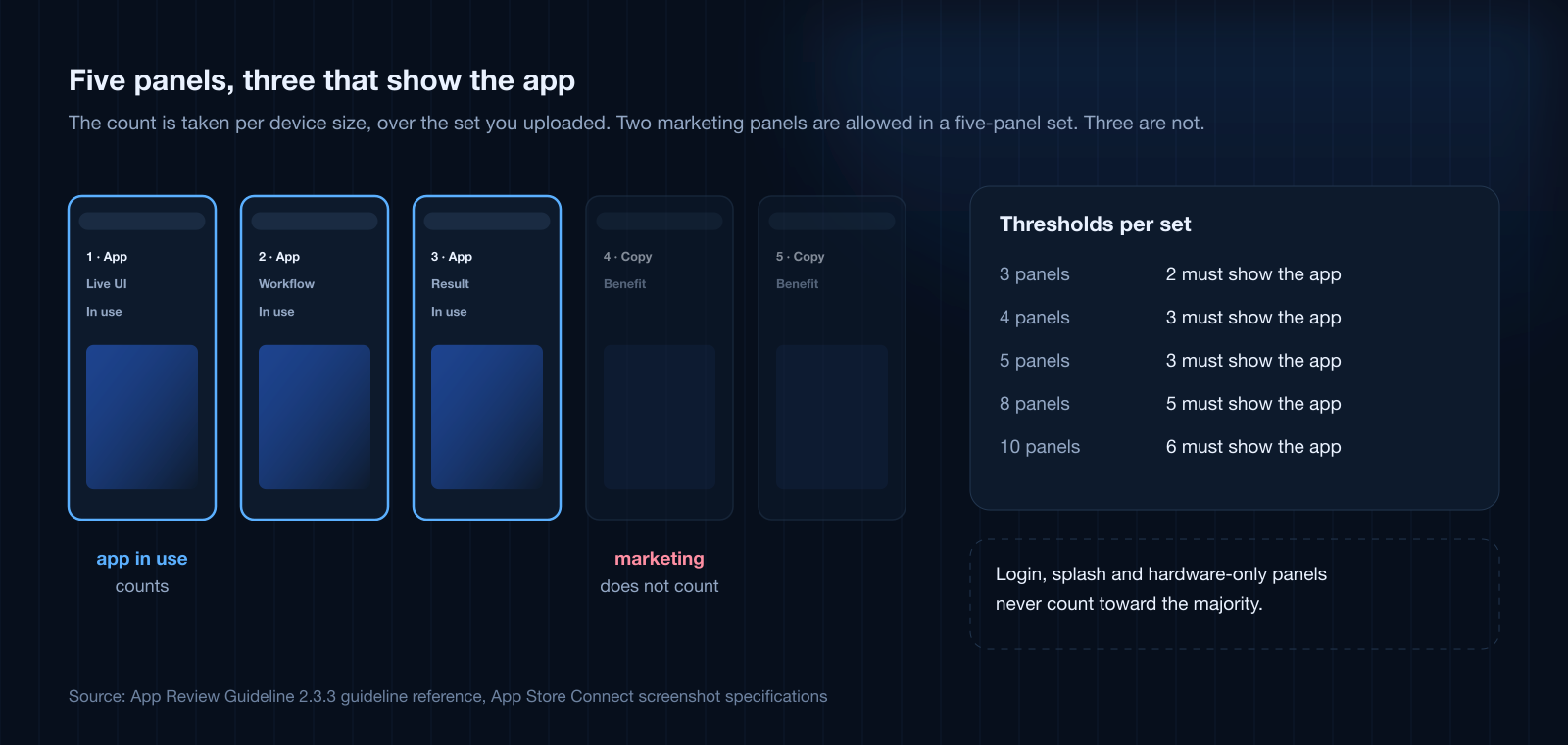
Apple publishes the operative part in the guideline reference: review approves only submissions where more than half of the screenshots show the app in use, and the set is judged per supported device. A set of three needs two live screens. A set of four needs three. A five-panel set with two captures and three benefit cards fails even when every card carries honest copy and clean typography.
Two neighbours show up often enough to check first. 2.3.9 covers rights to everything in the images and asks for fictional account information rather than data from a real person, so a capture with a real customer email or photo is a rejection waiting for a reviewer. 2.3.10 keeps other mobile platforms out of metadata, which covers an Android navigation bar left visible inside an iPhone frame.
Count the submitted set before editing
The threshold is more than half the set: three panels need two that show the app, four need three, five need three, six need four, eight need five, ten need six. Write the number down before touching the artwork, because deleting a failing panel moves the threshold with it.
Sets do not share the count. An iPhone set and an iPad 13-inch set are judged separately, and an app that runs on iPad needs at least one screenshot at 2064 × 2752 even when the phone set is flawless. Connect scales your highest resolution down to the smaller phone classes, which is a convenience inside one device family, not a way to turn phone art into an iPad set.
When the rejection names a device you never designed for, the fix is a new set rather than a resize. Pixel sizes per slot live in the iPad Pro 13-inch sizes reference and the App Store screenshot size guide; the required iPad slot is the one people forget.
The images reviewers flag
A first panel that opens on a sign-in screen or a splash animation is the example Apple prints in the rule. It tells a visitor nothing about the product, and it does not count toward the majority. Replace it with a live screen one tap past the login, which is usually the screen the app was built around.
Apple also spells out what not to submit: an image of the hardware alone, and an overlay with no app interface behind it. A device render on a gradient with a headline is a marketing panel by that definition. Two of them in a four-panel set leave you exactly on the line; three do not.
Demo data is not cosmetic under 2.3.9. Use invented names, generic avatars and example domains from the reserved set, and avoid a screenshot of a real inbox, a real support thread or a recognisable face. The rule exists because a product page is public, and the person in the capture never agreed to that.
2.3.10 is the one that catches cross-platform art. An Android status bar, a Play Store badge or a "also available on Google Play" strip inside App Store screenshots is metadata referencing another platform. So is a photo of an Android handset used as the hero device, even if the UI inside the frame is genuinely yours.
Age rating sits in 2.3.8 and applies to screenshots separately from the app. Metadata has to suit a 4+ audience even when the game is rated higher, so a frame with a weapon pointed at a character or visible blood gets flagged on the image regardless of the rating assigned to the build.
Failures that happen before review
Not every blocked release reaches a reviewer. App Store Connect refuses files that carry an alpha channel, and design tools export RGBA by default even when every pixel is fully opaque. The screenshot size checker reads dimensions and the alpha channel locally, before anything is uploaded.
Wrong dimensions fail in the uploader, so there is no appeal and no reviewer to persuade. The iPhone large slot is 1320 × 2868, the medium Dynamic Island slot is 1179 × 2556, and the iPad 13-inch slot is 2064 × 2752. The uploader takes .jpeg, .jpg or .png here, and the canvas has to match the slot exactly rather than approximately.
A replacement panel has to land on the same slot as the one it replaces, so export the whole set from one project at every size you ship. The AI app store screenshot generator renders each store size from the same layers, which keeps a swapped panel aligned with the rest of the set.
Removing transparency is a one-file fix: the alpha remover re-encodes the PNG as 24-bit RGB in the browser and uploads nothing. Flatten with the artwork in mind. A drop shadow that lived on a transparent canvas turns into a pale band once it is composited on white, which passes the uploader and looks like a cropping mistake on the product page.
Play splits the same list, and punishes harder
Google Play separates requirements from recommendations, and its preview asset page says requirements are mandatory and that failing them may result in removal or suspension from the store. A rejected App Store version costs a review cycle. A Play listing that loses its place costs the installs that were flowing through it.
The feature graphic is a publishing requirement rather than a suggestion: a 1024 × 500 banner, JPEG or 24-bit PNG, alpha stripped. A listing can carry up to eight phone screenshots and still stay unpublished because the banner is missing.
Large screens want at least four screenshots between 1080 and 7680 px at 16:9 or 9:16. Wear OS goes the other way and forbids frames, added text, extra graphics and non-interface backgrounds, with a square canvas and a 384 px minimum. A Wear OS rejection is not fixed by resizing phone art, because the phone art breaks two of those rules on its own.
The Play metadata policy is where marketing panels get caught. Screenshots have to reflect the app as it ships, and ranking claims, price claims, unattributed testimonials and comparisons against other apps or brands are all violations. Those are the lines a hand-made benefit panel tends to carry, often in the largest type on the image.
Resubmitting without redoing the set
Fix the panels that fail the count and leave the rest alone. A full re-export is not more correct; it just puts every file back in front of a reviewer and buries the change that mattered.
Recount after the edit. Dropping one marketing panel from a five-panel set leaves four panels that need three interface captures, so the same edit can clear or tighten the arithmetic depending on what else is in the set. The ratio decides, not the number of images.
If a marketing panel is deliberate, say so in the review notes and point at the panels that satisfy the majority. Overlays are allowed, including ones that demonstrate an input gesture, as long as they leave the app visible and do not crowd it out. A reviewer who can find the majority in two seconds has no reason to send the version back.
Localized sets inherit the count but not the layout. Translated captions grow, and a headline that pushed the interface off the panel in German fails on the same rule as the English original. The App Store screenshot localization guidance covers the space budget, and the Play vs App Store comparison covers what changes when the same set ships to both stores.
On Play the edit happens in the Main store listing page under Graphics, and each device type has its own slot. A Wear OS problem and a phone problem are two separate uploads in the same form, which is also why one of them can stay broken while the other looks fine.
Questions
Common questions.
How many screenshots have to show the app in use?
More than half of the set submitted for each device. Three panels need two interface captures, four need three, five need three, six need four, and the full ten need six. Title art, a login screen and a splash screen do not count toward that majority.
Do text overlays on screenshots cause a 2.3.3 rejection?
Overlays are allowed, including ones that demonstrate an input mechanism such as a touch point or Apple Pencil. The failure cases are an overlay that crowds out the interface and an image with no app interface behind it at all.
Does a screenshot rejection mean the build has to be resubmitted?
No. 2.3.3 is about metadata accuracy, so the remediation is the screenshot set in App Store Connect. Nothing in the rule asks for a new binary; the set has to satisfy the majority rule before the version can be approved.
Why can a Play listing be removed over a screenshot?
Play treats its preview asset requirements as mandatory and warns that failing them may result in removal or suspension. Its metadata policy also forbids screenshots that misrepresent the app or carry ranking, price or testimonial claims.
My phone screenshots passed but iPad was rejected. Why?
Each device size is judged as its own set. An iPad slot is required at 2064 × 2752 when the app supports iPadOS, and scaled phone art does not satisfy it. Upload a set composed for the 3:4 iPad canvas.
Where to go next
Build the sequence once.
Export it at every store size.
Compose every panel in one editable project, then export the exact presets App Store Connect expects.