Never stretch iPhone captures onto iPad
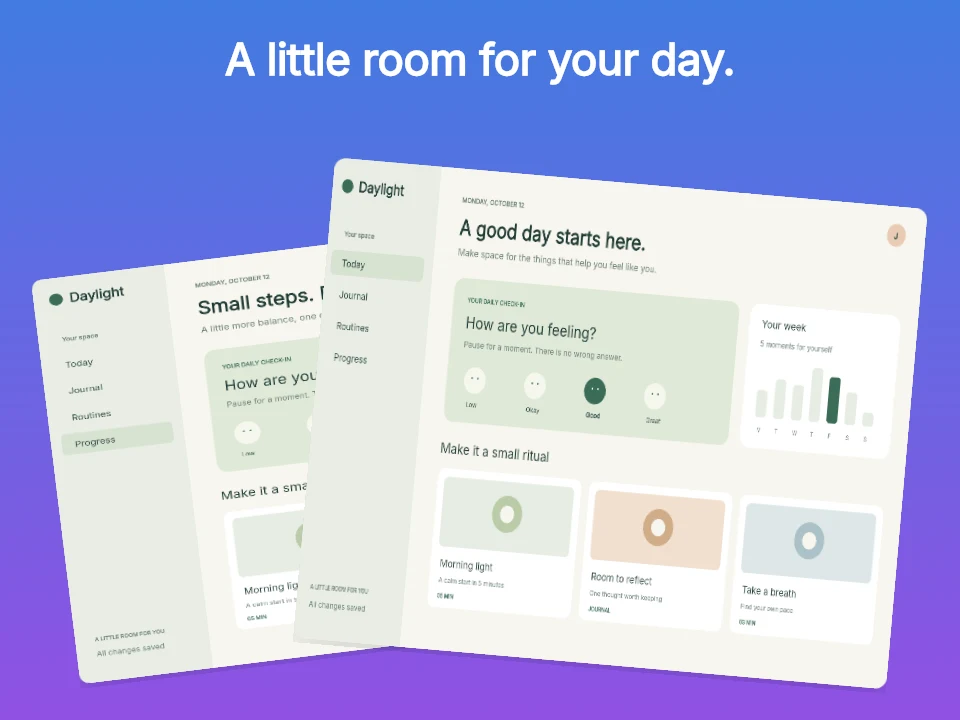
App Review routinely rejects iPad screenshots that merely frame an iPhone UI. Always capture your genuine iPad split-view or Stage Manager layout.
Size specification
Apple’s 13-inch iPad display slot serves as the master tablet set in App Store Connect. Choose portrait (2064 × 2752) or landscape (2752 × 2064) to match how people actually hold your iPad app.
2064 × 2752 px2752 × 2064 px2048 × 2732 px · 2732 × 2048 pxFree plan ($0 forever) · Pro $69/yr · No credit card required
Exact pixel specifications
| Store slot | Portrait | Landscape / Canvas | Notes |
|---|---|---|---|
| iPad 13" Portrait (Master Tablet Slot) | 2064 × 2752 px | — | AppScreenDesign family: ipad · 3:4 aspect ratio |
| iPad 13" Landscape (Master Tablet Slot) | — | 2752 × 2064 px | AppScreenDesign family: ipad-landscape · 4:3 wide workspace |
| Alternate Accepted 13" Resolution | 2048 × 2732 px | 2732 × 2048 px | Legacy 12.9" resolution also accepted by App Store Connect |
Practical walkthrough
Choose portrait (2064 × 2752) for reading/list apps or landscape (2752 × 2064) for split-view workspaces.
Show sidebars, multi-column layouts or Apple Pencil canvases rather than stretched phone screens.
Use purpose-built wide or portrait templates so headlines never crowd the tablet bezel.
Verify your opening iPad panel communicates the core product value on its own.
App Review routinely rejects iPad screenshots that merely frame an iPhone UI. Always capture your genuine iPad split-view or Stage Manager layout.
AppScreenDesign treats ipad (2064 × 2752) and ipad-landscape (2752 × 2064) as first-class targets with Silver and Space Black M5 bezels.
Unlike portrait phones (which show 3 thumbnails), landscape iPad screenshots display one wide hero banner in iPad Search results—make panel 1 count.
Because 4:3 and 3:4 canvases have less vertical headroom above the device than tall 9:19.5 phones, keep tablet captions to a crisp single headline or side-column editorial block.
Store both families in one project so localized headlines carry across phone and tablet while keeping tablet-specific raw captures independent.
Questions
Yes. Free ($0 forever) includes the full 3D browser studio, ready-made template library, Remote MCP access to test AI agents, and unlimited draft projects with watermarked preview exports.
Never. Every scene stays an editable multi-layer SceneDoc with live text, 3D hardware poses, backgrounds, vector badges and per-locale overrides.
No ($0 AI markup). Connect Claude, ChatGPT, Cursor or Codex via https://appscreendesign.com/mcp using the AI subscription you already have.
Start with a composition. Keep every detail editable.