Localization
Localizing screenshots without redoing the layout
A new language in App Store Connect does not arrive empty. It arrives holding a copy of the primary language screenshots, and it keeps them until somebody replaces the files one device size at a time. That inheritance is how a listing ends up with a German description above English artwork. The fix is structural rather than cosmetic: keep the composition fixed and make the words a layer you swap.
By AppScreenDesign · Published
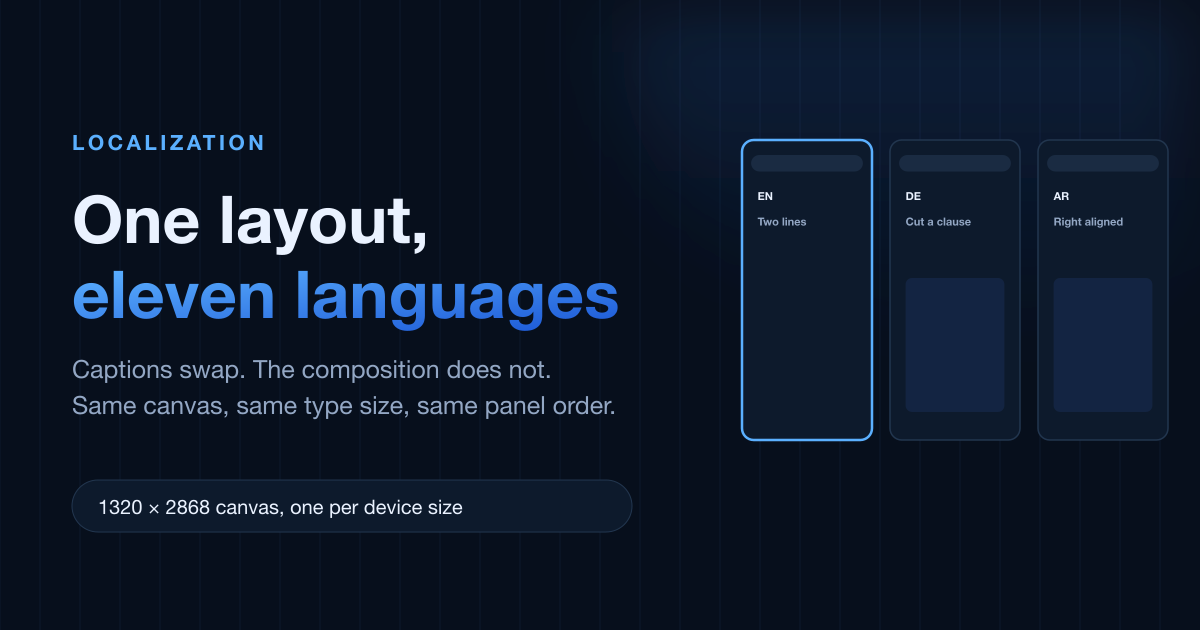
A new locale inherits the artwork you already shipped
Apple states the behaviour in its localization help: when you add a language, the screenshots and the other properties for that language default to those of the primary language, with the description and keywords as the exception. Nothing is flagged as missing. The German storefront opens with your English panels, a German description and a German rating row, and the mismatch appears only if you pick the language from the selector in App Store Connect and look at the screenshots tab.
Google Play arrives at a similar place by a different route. Its translation help says you can add localized graphic assets for the store listing, and that text translations added without them leave the graphic assets showing from the default language. Translating the title, short description and full description is a separate job from translating the images, and the console will publish the combination without complaint.
Neither store calls that an error. Both call it a fallback, which is why the gap survives review and sits on a storefront for months while everyone assumes localization is done.
Split the composition from the copy
Draw the panel once per device size. Canvas, device pose, background, caption box and type scale make up the composition. The caption string and the capture inside the frame are content. When the two live in separate layers, adding a locale means filling a handful of text fields and binding a handful of captures instead of redrawing eight panels in eleven languages.
Name the layers by role before the second locale exists: headline, subline, device, backdrop. A layer called "text 2 copy" is the one that gets missed at 11pm. Role names also survive a handoff, so a translator can be given a spreadsheet of headlines keyed to panel numbers without ever opening the design file.
The test that the split is real is simple. Can somebody who has never seen the project ship a new locale by typing strings and dropping in captures? If producing a locale still needs the person who drew the English set, the two layers are fused and every new market costs a design session.
Keep three numbers fixed, let two change
Canvas size, type size and panel order should hold across every locale. Keep the canvas at the pixel size the store expects, 1320 × 2868 for the large iPhone slot and 2064 × 2752 for the 13-inch iPad, keep the type size, and keep panel one doing the same job in each language so a repeat visitor recognises the sequence.
Apple's screenshot specs allow one shortcut and name one exception. The shortcut: where the interface is consistent across device sizes and localizations, you can supply the highest required resolution and let App Store Connect scale down for the smaller slots. The exception: Apple Watch screenshots have to use the same size in every localization, so a watch app cannot mix 410 × 502 files with a 396 × 484 set across markets.
Tailored sets are the other branch of that same page. You may upload screenshots specific to a device size and a localization, which is the option to take when a long caption stops fitting the scaled-down medium slot. German and Spanish strings reach that point far sooner than English ones.
Write to a box, then measure the longest word
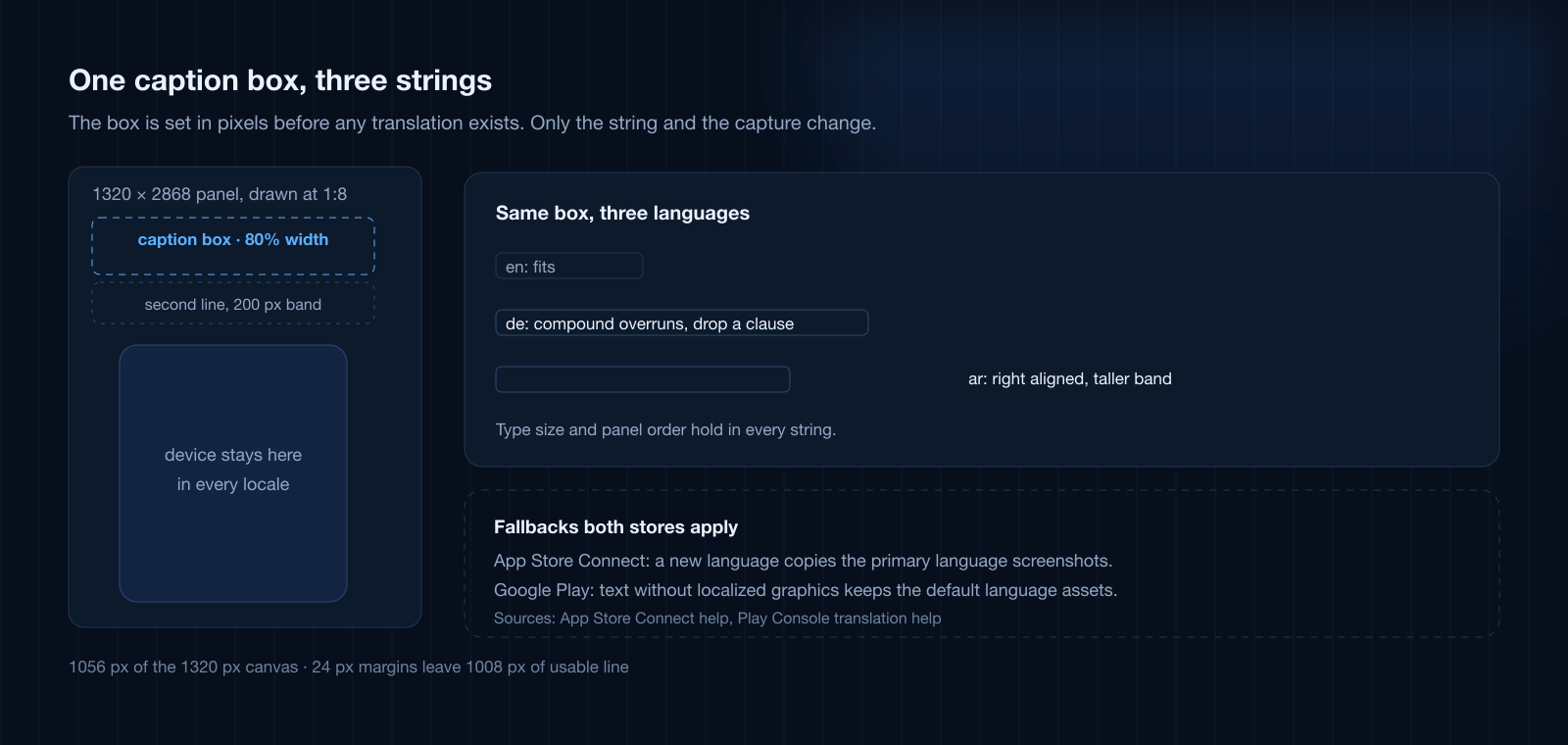
Set the caption area as a rectangle and treat its width as the hard limit. On a 1320 px canvas a box at 80 percent of the frame leaves 1056 px, and 24 px margins on each side bring the usable line down to 1008 px. Two lines at a fixed leading fit inside a band of roughly 200 px above the device.
Measure the longest word at the type size you chose, not the character count of the sentence. A German compound noun can be a single word and still overrun a box that comfortably holds a longer English sentence, because the box can only break where a space exists.
When the longest word overruns, three moves are honest: shorten the string, lower the type size for that locale alone, or widen the box by moving the device down. The move to avoid is dropping the type size across every locale so the worst language fits, because a headline on a 1320 × 2868 panel is read through a search rail where small type disappears.
Captures belong to the locale as well
A German headline over an English interface is a half-translated set, and anyone who reads both languages sees it immediately. Capture from a simulator or device set to that language and region, so currency symbols, date formats, number separators and name fields match the storefront the visitor arrived from.
Two details catch people out. A locale is language plus region, so pt-BR and pt-PT share most vocabulary and still disagree about currency and phrasing; both stores keep separate codes. And Play writes Hebrew as iw-IL in its translation list, so a script or export column keyed to he-IL matches nothing on that side.
Demo data travels with the translation. Fictional names, generic avatars and addresses on the reserved example.com domain stay safe in any language, and Apple reviews the image rather than the locale it was written for.
Right to left moves the composition, not just the string
Arabic and Hebrew read right to left, so a caption block pinned to the left edge reads as a translation of a translation. Align the headline to the right margin, keep it above the device, and place the device so the first line of type is still where the eye lands rather than behind the frame.
Arabic glyphs carry marks above and below the baseline, and a line height tuned for Latin text clips them. Give the caption band extra vertical space in Arabic and Hebrew sets and test the tallest string you have, not a sample of average length. Play lists Arabic as ar and Hebrew as iw-IL.
Mirror the things the operating system mirrors. The app UI inside the frame flips because the app does that; a brand logo, a playback triangle or a date arrow does not. Flipping those turns a localized set into a different product.
The pass that catches what the layout hides
Walk the set in the store before review, not in the editor. Switch the language selector in App Store Connect and open each device tab; on Play, request the translated listing. Both stores choose a localization from the user language setting, so the way to see the German page is to ask for German.
Then run the thumbnail test in that language. Shrink the leading three panels to about 200 px wide, cover the description, and read the headlines in order. A clause that needed a comma in English often needs cutting in German, and this is the cheapest place to notice.
Two checks belong to the panel count. The majority rule is applied to the set uploaded for a device size, so a locale that swapped a live capture for a title card during translation can slip under the threshold while the English set stays clean. And panel order should match across languages unless a specific test says otherwise, since one sequence in eleven locales is one thing to maintain.
Per-locale export from a single project is covered on the App Store screenshot localization page. The two hardest layouts have their own write-ups: German compound words and Arabic right-to-left sets. Canvas dimensions for each slot are in the size guide.
Questions
Common questions.
Does adding a language translate my screenshots in App Store Connect?
No. App Store Connect copies the primary language screenshots and properties into the new language, and leaves the description and keywords for you to write. The panels keep showing the old artwork until you replace the files for each device size.
Do I need a separate screenshot for every language and device size?
Only for the sizes you tailor. Apple accepts the highest required resolution and scales it down for smaller phone classes, so one 1320 × 2868 file per language covers the phone family. Apple Watch is the exception: the watch screenshot size has to be identical in every localization.
Does Google Play show default graphics in a translated listing?
Yes, unless you upload localized graphic assets. Play documents that text translations without localized graphics leave the assets showing from the default language, which is how an English screenshot set ends up under a translated title.
Which language code does Play use for Hebrew?
iw-IL. Play translation lists write Hebrew as iw-IL, so export scripts or spreadsheet columns keyed to he-IL can silently match nothing when the set is uploaded.
Should Arabic screenshots use a different layout, not just different words?
Yes. Right-align the caption, add line height for the marks above and below Arabic glyphs, and keep the device from crowding the right margin where the headline starts. Same canvas, adjusted composition.
Where to go next
Build the sequence once.
Export it at every store size.
Compose every panel in one editable project, then export the exact presets App Store Connect expects.