A clear starting point
Coding bootcamps, language and skill-course apps
Five-panel coding course template
One #4344B8 to #3738A4 gradient across all five panels, tilted silver iPhones at 24° and −24°, 155 px Nunito Sans headlines, 63 px #E0E7FF sublines and an Editors’ Choice laurel on panel 2.
Free plan ($0 forever) · Pro $69/yr · No credit card required
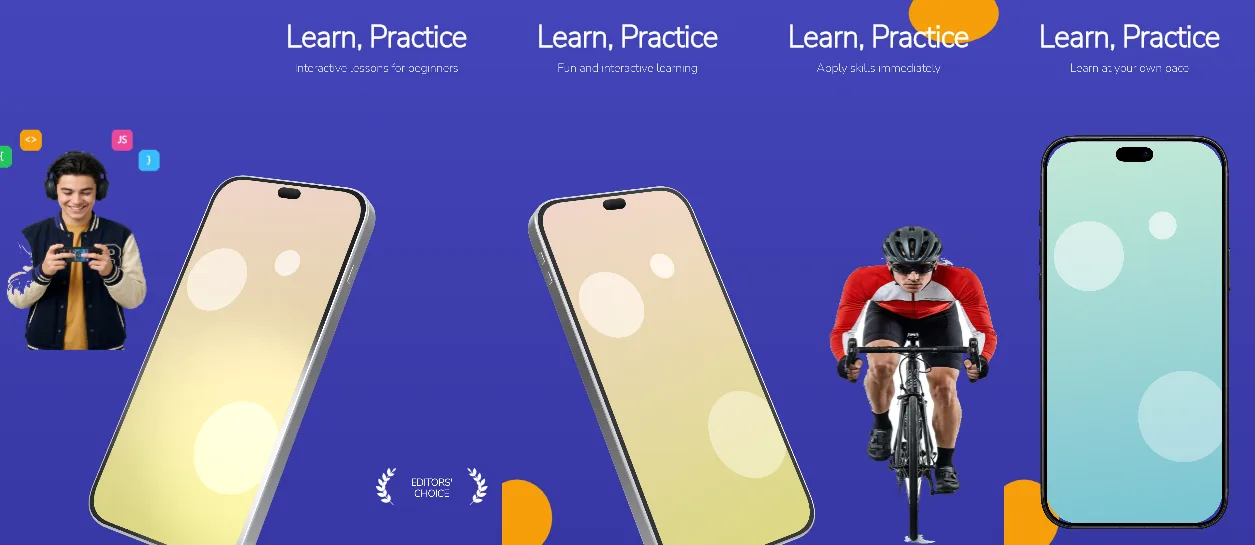
Every background fill, gradient stop and headline color remains editable in Studio.
Practical walkthrough
Upload lesson, progress, project and certificate captures; panels 1–2 and 3–4 share tilted 144% phones, so one screen can cross each pair.
Keep the headline to the 1,162 × 184 px box and the subline to the 1,162 × 115 px box — both are single-line designs that shrink rather than wrap wider.
Remove or replace the Editors’ Choice laurel on panel 2 unless you hold the award, then export five 1320 × 2868 PNGs.
Coding bootcamps, language and skill-course apps
Listings that want one calm indigo gradient
Courses where the lesson path is the pitch
Every panel is 1320 × 2868 px on the same vertical #4344B8 → #3738A4 indigo gradient, so the strip stays one colour field while the devices move. Panels 1 and 2 share a silver iPhone 18 Pro Max at 144% scale and 24° rotation — 92% across on the cover, −8% on panel 2 — so the same screen continues across the seam; panels 3 and 4 mirror that at 68% and −32% with −24° rotation. Panels 2 to 5 put a 155 px white headline in a 1,162 × 184 px box at 120 px from the top and a 63 px #E0E7FF subline in a 1,162 × 115 px box at 327 px. Panel 2 also carries an Editors’ Choice laurel with a 52 px two-line label in a 317 px box near the bottom. Panel 5 closes with a 78% black upright phone at 61% of panel height instead of a tilted 144% crop. Headlines, sublines, the laurel label and all device placements stay editable. It belongs to the education & reading screenshot templates family; the Pop brutalist micro-learning set uses flat red, green, blue and yellow panels where this one holds a single indigo gradient.
Questions
Yes. Upload your own PNG, JPEG or WebP app captures when creating the project and every device slot updates automatically.
Yes. The template opens as structured text, image, device and vector layers—never a flattened bitmap.
Yes. Connect https://appscreendesign.com/mcp in Claude, ChatGPT, Cursor or Codex and use the copyable prompt on this page.
Start with a composition. Keep every detail editable.