A clear starting point
Micro-learning, flashcards and daily-lesson apps
Five-panel microlearning template
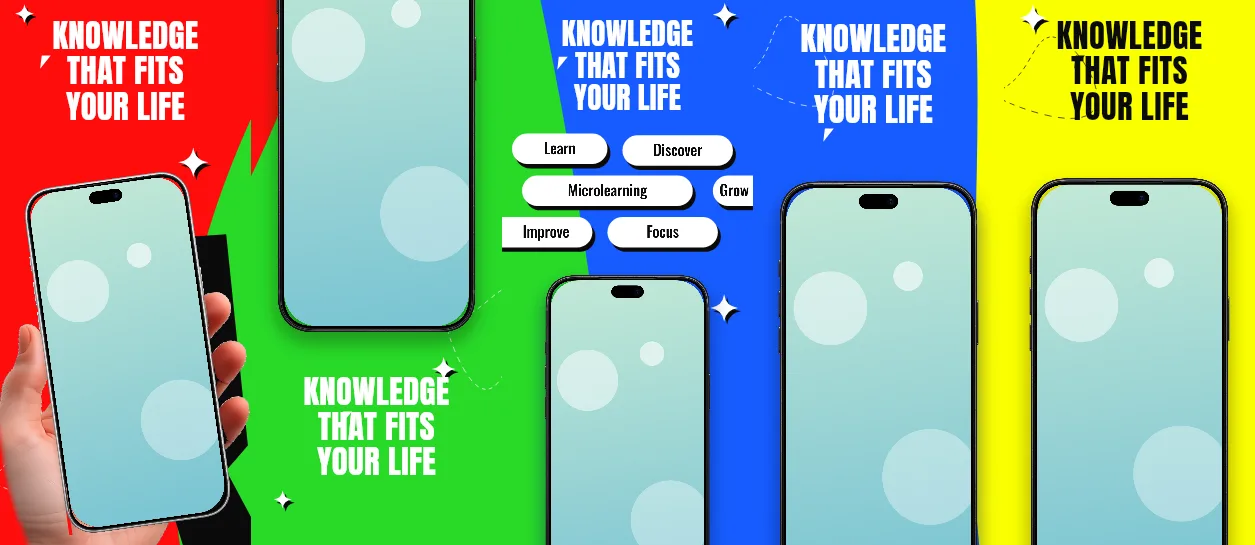
Brutalist colour blocking: a #FF0D0D cover, #28D928, two #175CFF panels and a #FAFF00 close, with 172–178 px Anton uppercase type, an eight-pill topic grid and a handheld phone on panel 1.
Free plan ($0 forever) · Pro $69/yr · No credit card required
Every background fill, gradient stop and headline color remains editable in Studio.
Practical walkthrough
Put your lesson or quiz capture in the panel-1 handheld frame at 138% scale and −8°; the rest of the set uses upright 82% phones.
Keep the Anton headline to three lines in the 1,135 × 660 px box — the type is uppercase at 172 px and a fourth line will shrink the block.
Relabel the eight Oswald pills on panel 3 (80 px, #0B0B0B on white) or delete the row, then export five 1320 × 2868 PNGs.
Micro-learning, flashcards and daily-lesson apps
Listings that want loud colour instead of gradients
Apps whose lesson list is the product
Five 1320 × 2868 px panels that each get one flat colour: #FF0D0D on the cover, #28D928 on panel 2, #175CFF on panels 3 and 4 and #FAFF00 on panel 5, with no gradients and no background artwork. Every headline is Anton at 172 px uppercase in a 1,135 × 660 px box, except panel 3 at 178 px in a 502 px box and the #0B0B0B ink on the yellow close. Panel 1 pairs the headline with an iPhone 18 Pro Max handheld frame in silver at 138% scale and −8°. Panel 2 puts a black upright phone at 82% scale in the top 23% and drops the headline to 1,993 px. Panel 3 adds eight white pills across five rows — 80 px Oswald labels at #0B0B0B, boxes from 158 to 832 px wide — above a 68% phone. Panels 4 and 5 use the same 82% upright phone with the headline above it. Headlines, all eight pill labels, and every device layer stay editable. It belongs to the education & reading screenshot templates family; the Royal indigo code quest is the calmer alternative with an indigo gradient instead of four flat colours.
Questions
Yes. Upload your own PNG, JPEG or WebP app captures when creating the project and every device slot updates automatically.
Yes. The template opens as structured text, image, device and vector layers—never a flattened bitmap.
Yes. Connect https://appscreendesign.com/mcp in Claude, ChatGPT, Cursor or Codex and use the copyable prompt on this page.
Start with a composition. Keep every detail editable.