Why notched MacBook screenshots fail upload
Modern MacBook Air/Pro displays include a menu-bar camera housing (~16:10.4), producing 2560 × 1664 or 3024 × 1964 captures that App Store Connect rejects.
Size specification
Unlike mobile slots, the Mac App Store enforces a strict 16:10 aspect ratio. A raw full-screen capture from a notched MacBook display will be rejected unless framed onto a 16:10 canvas.
2560 × 1600 px1280 × 800 · 1440 × 900 · 2880 × 18002560 × 1664 px (inside frame)Free plan ($0 forever) · Pro $69/yr · No credit card required
Exact pixel specifications
| Store slot | Portrait | Landscape / Canvas | Notes |
|---|---|---|---|
| Mac 16:10 HiDPI (Primary Preset) | — | 2560 × 1600 px | AppScreenDesign family: mac · Crisp Retina 16:10 store standard |
| Other Accepted Mac 16:10 Sizes | — | 1280 × 800 · 1440 × 900 · 2880 × 1800 | All share the mandatory 16:10 Mac App Store aspect ratio |
| MacBook Air 13" M5 Screen Slot | — | 2560 × 1664 px (inside frame) | Framed cleanly onto the 2560 × 1600 outer store canvas |
Practical walkthrough
Avoid Mac App Store aspect-ratio rejections by framing desktop windows onto a 2560 × 1600 canvas.
Use representative sample data and hide personal desktop clutter.
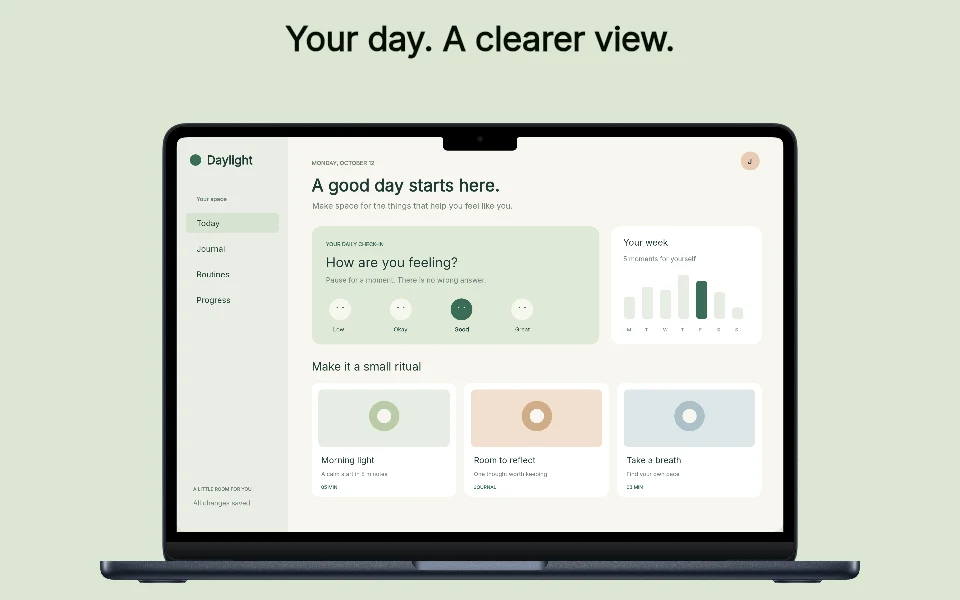
Place your capture inside a Midnight MacBook Air 13" frame or clean editorial desktop layout.
Inspect full-resolution 2560 × 1600 exports to ensure toolbars and sidebars remain crisp.
Modern MacBook Air/Pro displays include a menu-bar camera housing (~16:10.4), producing 2560 × 1664 or 3024 × 1964 captures that App Store Connect rejects.
AppScreenDesign places your macOS app window or Midnight MacBook Air 13" frame onto a compliant 2560 × 1600 opaque 16:10 canvas.
Tilt a 3D MacBook Air for your opening hero panel, then use crisp flat window callouts for keyboard shortcuts and inspector details.
Hide personal menu-bar icons, use sample documents and capture at 2x Retina scale so dense sidebars and code editors remain razor-sharp at 2560 × 1600.
Keep Mac screenshots alongside your iOS and iPadOS tabs when shipping a Universal Purchase app across Apple platforms.
Questions
Yes. Free ($0 forever) includes the full 3D browser studio, ready-made template library, Remote MCP access to test AI agents, and unlimited draft projects with watermarked preview exports.
Never. Every scene stays an editable multi-layer SceneDoc with live text, 3D hardware poses, backgrounds, vector badges and per-locale overrides.
No ($0 AI markup). Connect Claude, ChatGPT, Cursor or Codex via https://appscreendesign.com/mcp using the AI subscription you already have.
Start with a composition. Keep every detail editable.