Eliminate the 200-artboard release tax
Update one raw UI screenshot and preview it across your layout without re-pasting images into dozens of nested smart-object masks.
Comparison
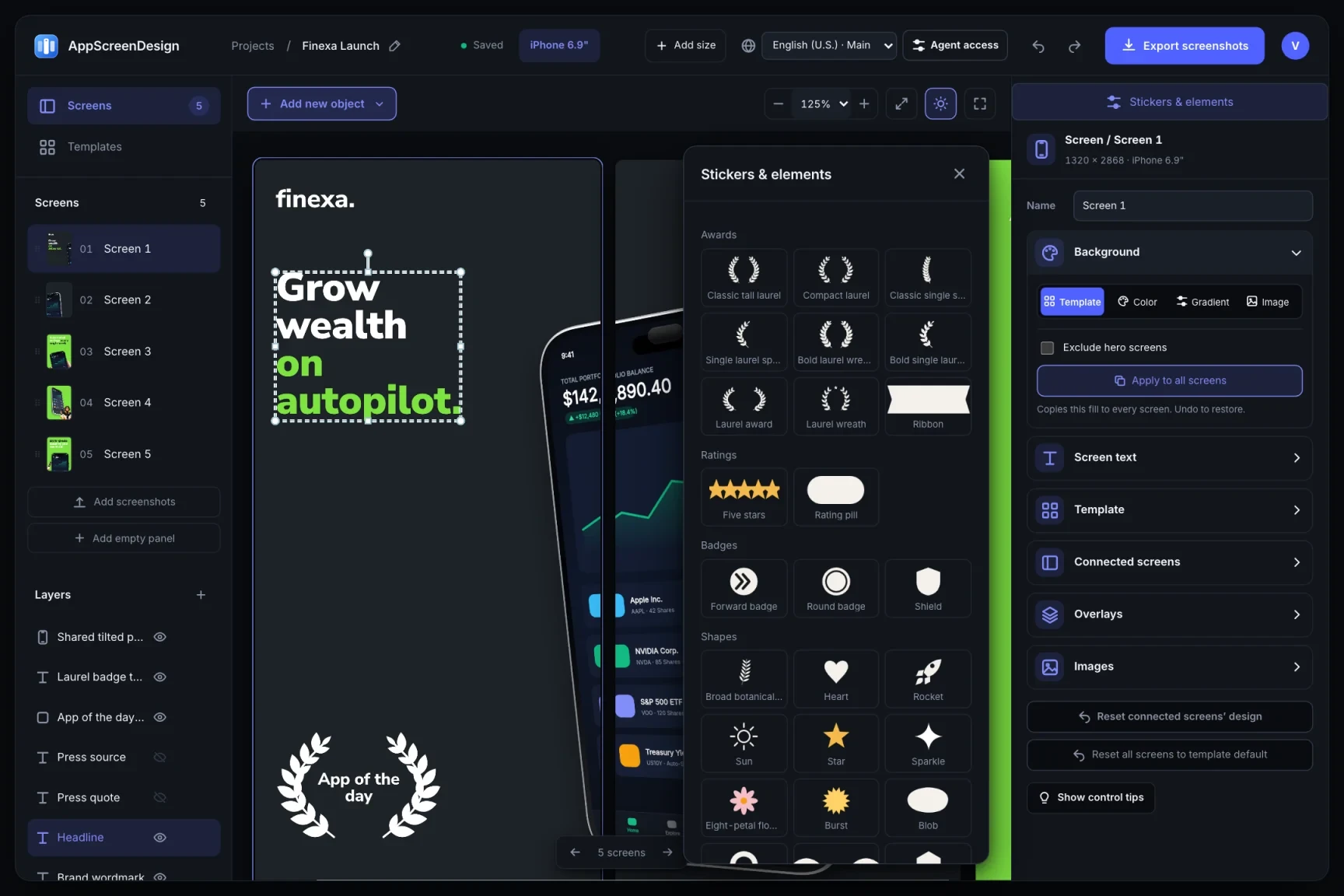
Figma is unmatched for product UI design, yet maintaining 10 panels × 4 device families × 15 languages inside one giant Figma page quickly turns release day into hours of manual frame exporting and alpha-channel fixes.
Built-in 3D WebGL iPhone, iPad, Watch & MacBook geometryStructured localization matrix + MCP/JSON bulk importGuaranteed 24-bit opaque PNGs (zero alpha rejection)Free plan ($0 forever) · Pro $69/yr · No credit card required
Side-by-side comparison
| Capability | AppScreenDesign | Figma Templates |
|---|---|---|
| True 3D device rotation | Built-in 3D WebGL iPhone, iPad, Watch & MacBook geometry | Requires paid third-party mockup plugins that flatten to bitmaps |
| 50-language management | Structured localization matrix + MCP/JSON bulk import | Manual frame duplication or brittle token plugins |
| App Store PNG compliance | Guaranteed 24-bit opaque PNGs (zero alpha rejection) | Frequent RGBA alpha or sub-pixel 1321px export errors |
| Device family separation | Dedicated iPhone, Duo, iPad, Watch, Mac, Vision Pro & Play tabs | Manual artboard resizing and component detaching |
| AI coding agent access | Direct write/preview/export via Remote MCP | Read-mostly design inspection |
Comparison reflects publicly documented capabilities and standard subscription models as of 2026. All third-party product names belong to their respective owners.
Practical walkthrough
Keep UI design in Figma and move store framing, 3D hardware and 50-locale packaging into a dedicated release studio.
Export 1x/3x raw app screens from your simulator or Figma prototype without device bezels.
Drop the screens into AppScreenDesign to get real 3D lighting, titanium bezels and store-exact canvases instantly.
Skip manual slice naming and RGBA alpha stripping—every exported PNG is ready for App Store Connect.
Update one raw UI screenshot and preview it across your layout without re-pasting images into dozens of nested smart-object masks.
Adjust device pitch, yaw and lighting at any time—even per localization—without re-running an external mockup plugin.
Every panel exports at exact Apple and Google pixel dimensions with zero transparency channels.
Export clean raw screen captures from your simulator or Figma prototype, then let AppScreenDesign handle 3D hardware framing, store aspect ratios, localization overrides and compliant packaging.
Instead of sending zoomed-out canvas links, generate a revocable /s/ preview link that renders your screens inside a realistic Dark/Light iOS App Store product page.
Questions
Yes. Free ($0 forever) includes the full 3D browser studio, ready-made template library, Remote MCP access to test AI agents, and unlimited draft projects with watermarked preview exports.
Never. Every scene stays an editable multi-layer SceneDoc with live text, 3D hardware poses, backgrounds, vector badges and per-locale overrides.
No ($0 AI markup). Connect Claude, ChatGPT, Cursor or Codex via https://appscreendesign.com/mcp using the AI subscription you already have.
Start with a composition. Keep every detail editable.