A clear starting point
Podcast players and audio utilities
5-panel template
Pure obsidian studio lighting with titanium 3D bezels and high-contrast white headlines built for audio, podcast and music apps.
Free plan ($0 forever) · Pro $69/yr · No credit card required
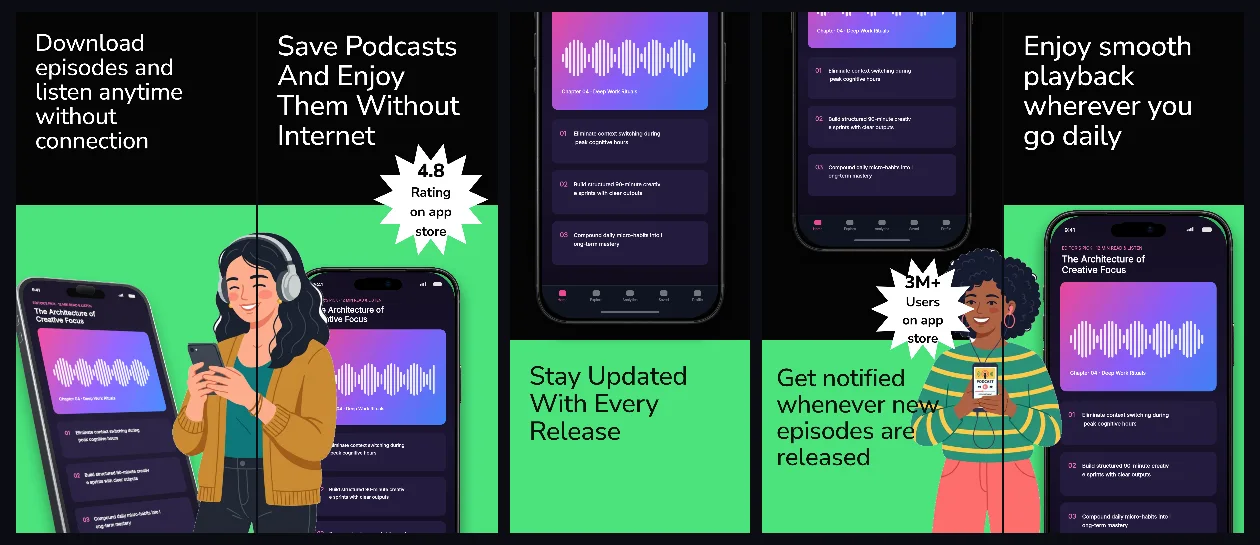
Every background fill, gradient stop and headline color remains editable in Studio.
Practical walkthrough
Place your flagship player with colorful episode artwork on panel 1.
Showcase queue management, transcripts and offline downloads next.
Switch titanium bezel finishes between Silver and Black to test edge definition.
Podcast players and audio utilities
Monochrome pro tools
Album and show-art-centric UIs
Because podcast and music apps already carry vibrant cover art, WaveCast keeps the surrounding studio strictly monochrome for maximum clarity.
Questions
Yes. Upload your own PNG, JPEG or WebP app captures when creating the project and every device slot updates automatically.
Yes. The template opens as structured text, image, device and vector layers—never a flattened bitmap.
Yes. Connect https://appscreendesign.com/mcp in Claude, ChatGPT, Cursor or Codex and use the copyable prompt on this page.
Start with a composition. Keep every detail editable.