A clear starting point
Strength, running and cycling trackers
5-panel template
Midnight-cobalt athletic gradients with connected 3D iPhones designed to make workout timers, heart-rate zones and training splits pop.
Free plan ($0 forever) · Pro $69/yr · No credit card required
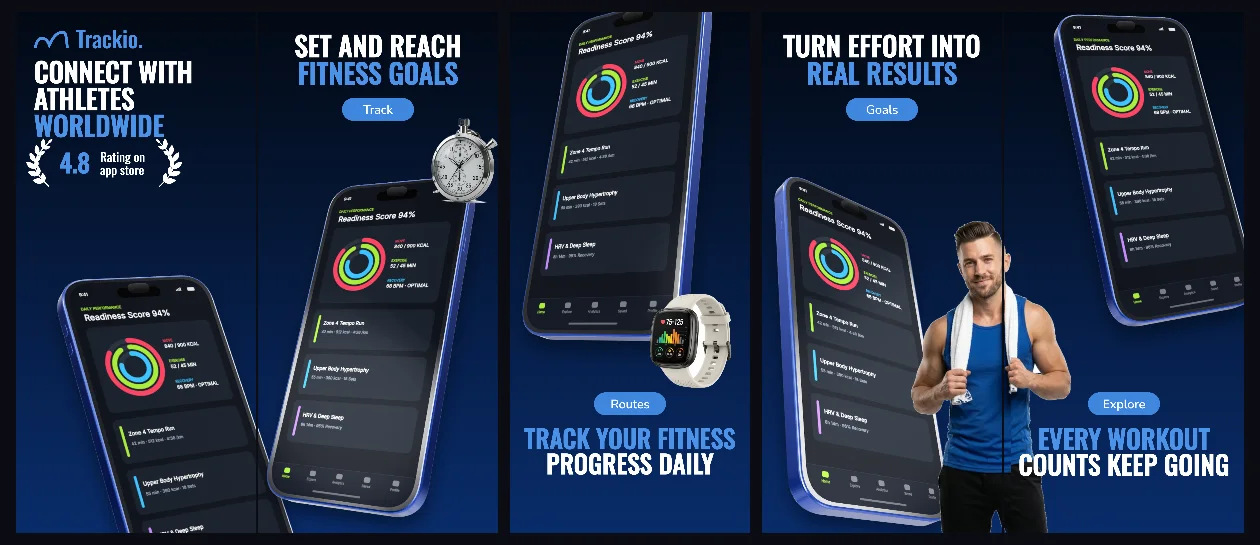
Every background fill, gradient stop and headline color remains editable in Studio.
Practical walkthrough
Lead with an active workout or daily readiness view.
Connect panels 1 and 2 with complementary training analytics.
Check metric contrast on both light and dark App Store themes.
Strength, running and cycling trackers
Coaching and interval timer apps
Dark athletic 3D sequences
Deep navy gradients prevent glare around dark athletic charts while 3D perspective draws the eye across all five training stages.
Questions
Yes. Upload your own PNG, JPEG or WebP app captures when creating the project and every device slot updates automatically.
Yes. The template opens as structured text, image, device and vector layers—never a flattened bitmap.
Yes. Connect https://appscreendesign.com/mcp in Claude, ChatGPT, Cursor or Codex and use the copyable prompt on this page.
Start with a composition. Keep every detail editable.