A clear starting point
Video, cinema and creator streaming apps
5-panel template
Deep cinema crimson gradients and dramatic 3D device poses that frame dark media interfaces without washing out poster artwork.
Free plan ($0 forever) · Pro $69/yr · No credit card required
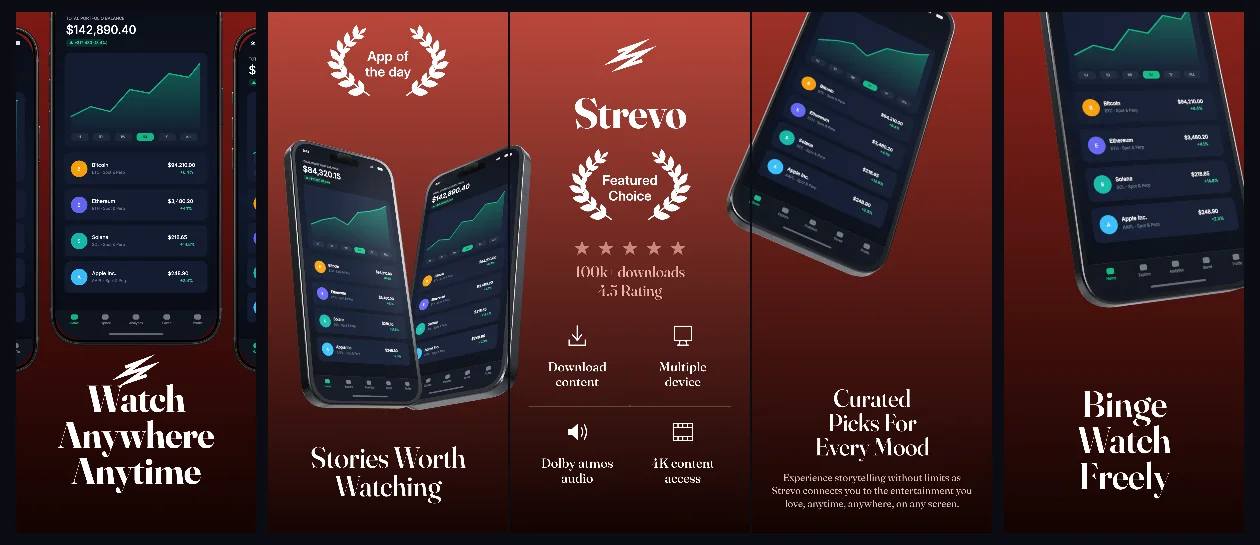
Every background fill, gradient stop and headline color remains editable in Studio.
Practical walkthrough
Upload licensed or first-party media catalog captures.
Keep top headlines concise above the tilted 3D frames.
Tune gradient stops to match your player accent color.
Video, cinema and creator streaming apps
Dark UI entertainment products
Atmospheric 3D hero sequences
Strevo uses deep velvet-red studio gradients behind 3D iPhone hardware so dark playback controls remain crisp. Every gradient stop, 3D pose and headline layer stays independently editable.
Questions
Yes. Upload your own PNG, JPEG or WebP app captures when creating the project and every device slot updates automatically.
Yes. The template opens as structured text, image, device and vector layers—never a flattened bitmap.
Yes. Connect https://appscreendesign.com/mcp in Claude, ChatGPT, Cursor or Codex and use the copyable prompt on this page.
Start with a composition. Keep every detail editable.