A clear starting point
Streaming video and live event apps
5-panel template
Ultraviolet-to-plum 3D panoramic panels that bridge discovery feeds, watchlists and offline playback into one cohesive store set.
Free plan ($0 forever) · Pro $69/yr · No credit card required
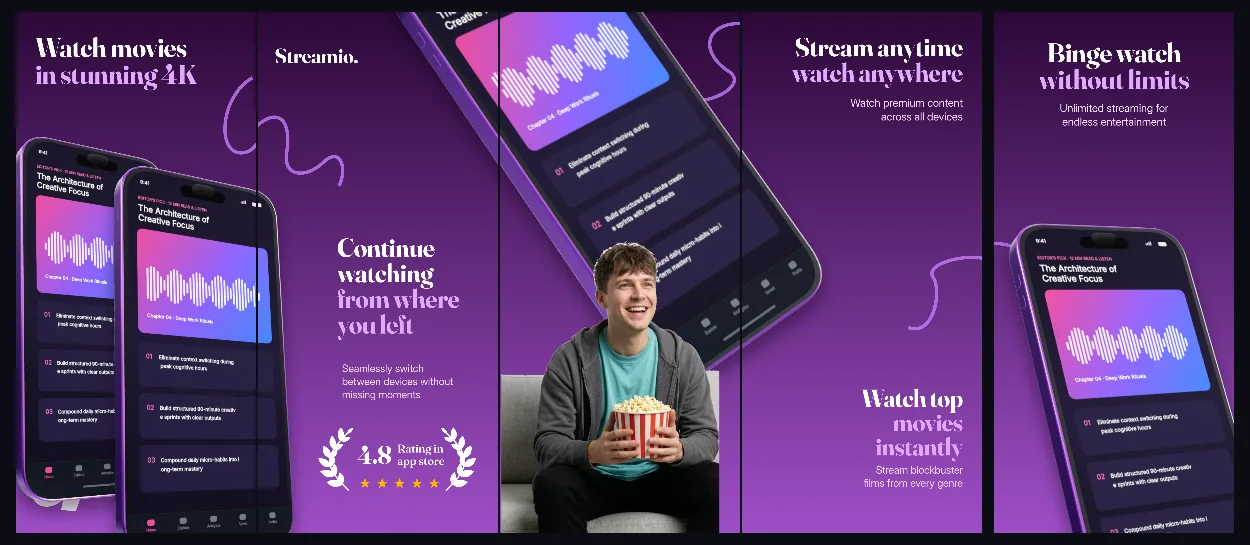
Every background fill, gradient stop and headline color remains editable in Studio.
Practical walkthrough
Show your richest browse or live player view on panel 1.
Use the connected span to transition from discovery to playback.
Customize violet stops to fit your brand identity.
Streaming video and live event apps
Creator communities and fan clubs
Connected 3D purple palettes
Streamio balances rich plum shadows with luminous violet highlights so dark UI thumbnails stand clearly off the background.
Questions
Yes. Upload your own PNG, JPEG or WebP app captures when creating the project and every device slot updates automatically.
Yes. The template opens as structured text, image, device and vector layers—never a flattened bitmap.
Yes. Connect https://appscreendesign.com/mcp in Claude, ChatGPT, Cursor or Codex and use the copyable prompt on this page.
Start with a composition. Keep every detail editable.