A clear starting point
Recipe, cooking and meal-prep apps
5-panel template
Appetizing saffron gold, warm cream and espresso typography with handheld framing and connected pantry-to-plate screens.
Free plan ($0 forever) · Pro $69/yr · No credit card required
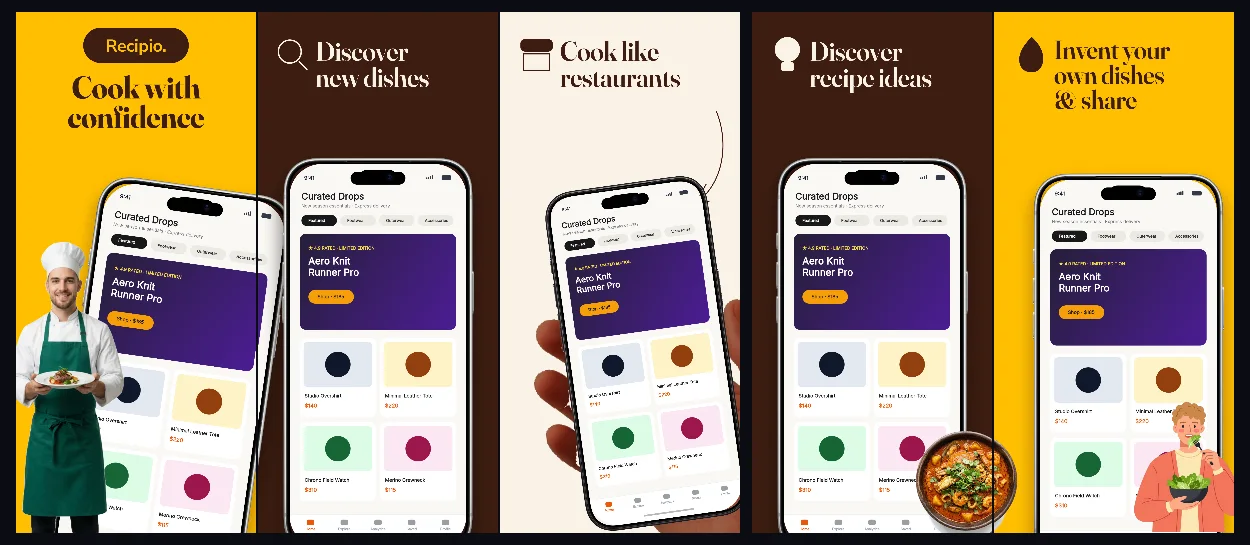
Every background fill, gradient stop and headline color remains editable in Studio.
Practical walkthrough
Open with a hero dish capture inside the handheld frame.
Follow with step-by-step cooking mode and automatic grocery lists.
Tune saffron and cream fills to complement your food photography.
Recipe, cooking and meal-prep apps
Smart grocery lists and kitchen timers
Warm editorial lifestyle products
Recipio pairs warm culinary colors with high-contrast dark brown type so ingredients, timers and nutrition badges stay effortless to read.
Questions
Yes. Upload your own PNG, JPEG or WebP app captures when creating the project and every device slot updates automatically.
Yes. The template opens as structured text, image, device and vector layers—never a flattened bitmap.
Yes. Connect https://appscreendesign.com/mcp in Claude, ChatGPT, Cursor or Codex and use the copyable prompt on this page.
Start with a composition. Keep every detail editable.