A clear starting point
Micro-learning, book notes and flashcards
5-panel template
Soft lavender studio space accented with royal-blue headlines and connected 3D devices for daily reading, audio lessons and study streaks.
Free plan ($0 forever) · Pro $69/yr · No credit card required
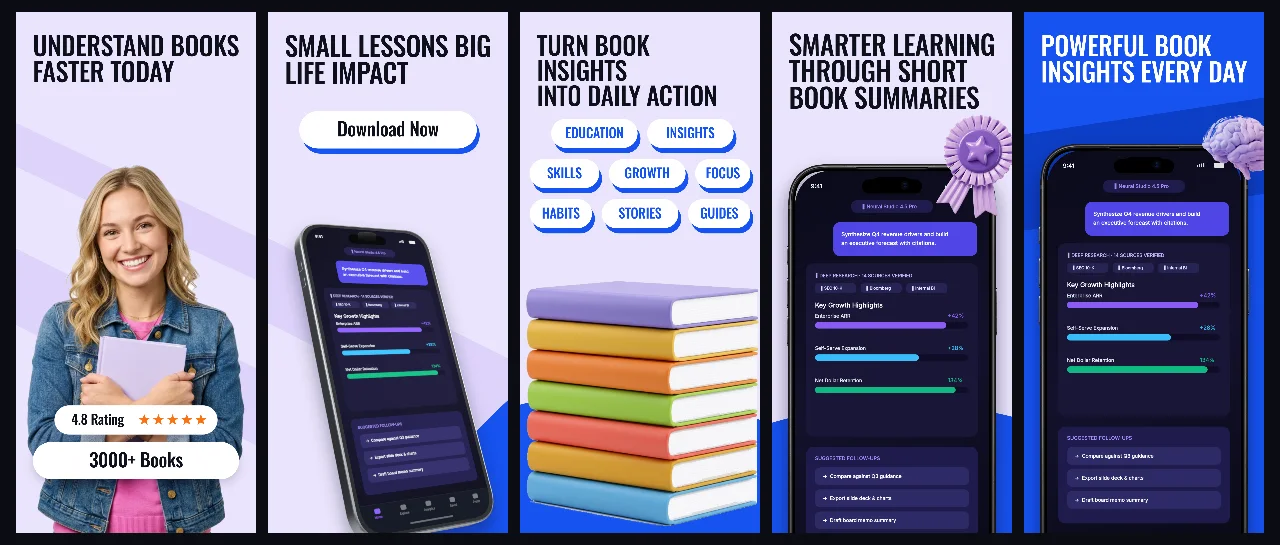
Every background fill, gradient stop and headline color remains editable in Studio.
Practical walkthrough
Show a clean reader or audio player screen in slot 1.
Highlight key takeaways, spaced repetition and offline listening next.
Adjust headline line breaks when localizing into German or Spanish.
Micro-learning, book notes and flashcards
Language learning and exam prep
Calm productivity and reading habits
PageBrief pairs gentle lavender surfaces with sharp cobalt accents so long study sessions feel approachable and structured.
Questions
Yes. Upload your own PNG, JPEG or WebP app captures when creating the project and every device slot updates automatically.
Yes. The template opens as structured text, image, device and vector layers—never a flattened bitmap.
Yes. Connect https://appscreendesign.com/mcp in Claude, ChatGPT, Cursor or Codex and use the copyable prompt on this page.
Start with a composition. Keep every detail editable.