A clear starting point
Moodboards, bookmarking and visual notes
5-panel template
Airy glacier-mist panels with subtle 3D perspective that keep visual moodboards, illustrations and design tools front and center.
Free plan ($0 forever) · Pro $69/yr · No credit card required
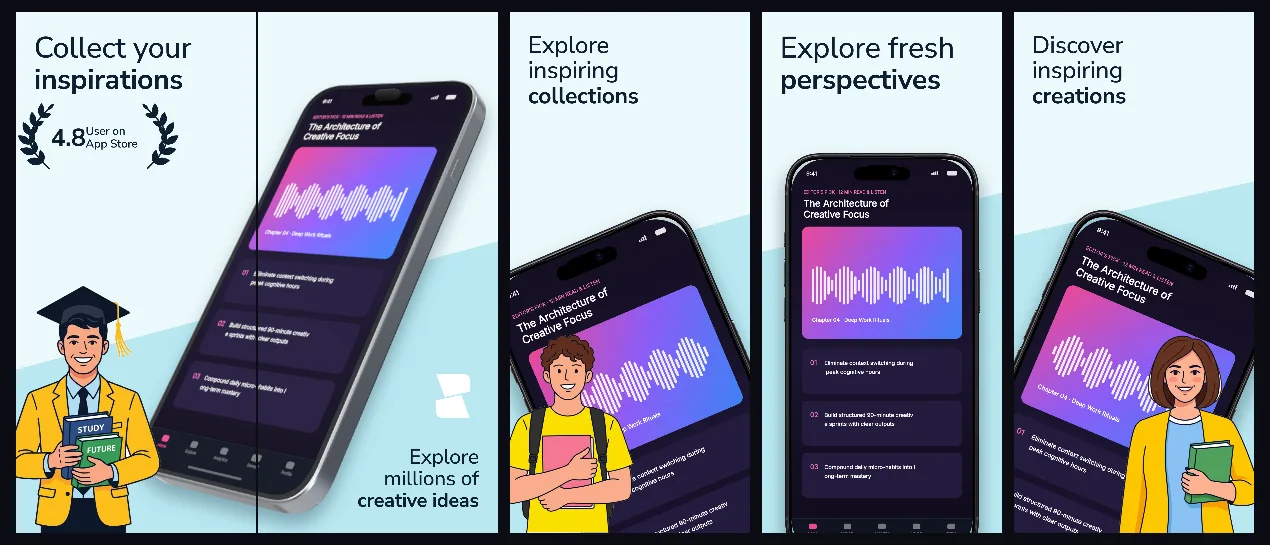
Every background fill, gradient stop and headline color remains editable in Studio.
Practical walkthrough
Pick captures with rich visual grids to contrast the pale blue canvas.
Keep headlines short so the visual workspace occupies maximum area.
Export matching iPhone and iPad Pro 13-inch sets from one project.
Moodboards, bookmarking and visual notes
Illustration, photo and creative tools
Clean glacier-blue minimal sets
MuseBoard provides a cool neutral studio backdrop engineered so colorful user boards and creative assets never clash with the frame.
Questions
Yes. Upload your own PNG, JPEG or WebP app captures when creating the project and every device slot updates automatically.
Yes. The template opens as structured text, image, device and vector layers—never a flattened bitmap.
Yes. Connect https://appscreendesign.com/mcp in Claude, ChatGPT, Cursor or Codex and use the copyable prompt on this page.
Start with a composition. Keep every detail editable.