A clear starting point
Knowledge networks and Q&A communities
5-panel template
Soft parchment and espresso tones with handheld and angled 3D views tailored for reading, knowledge sharing and thoughtful social apps.
Free plan ($0 forever) · Pro $69/yr · No credit card required
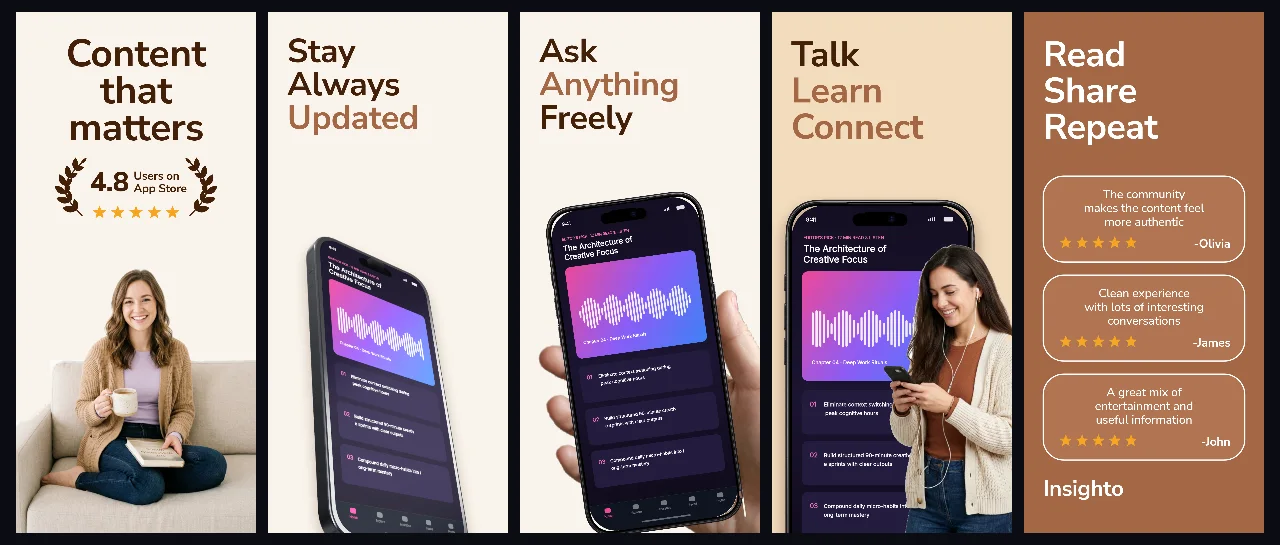
Every background fill, gradient stop and headline color remains editable in Studio.
Practical walkthrough
Open with a recognizable discussion or reading capture.
Use concise benefit headlines that summarize why readers return daily.
Check text contrast when localizing into denser scripts like Japanese.
Knowledge networks and Q&A communities
Journaling, notes and newsletter readers
Warm editorial brand systems
Insighto combines tactile sand tones with clean espresso typography so text-heavy mobile interfaces feel inviting rather than clinical.
Questions
Yes. Upload your own PNG, JPEG or WebP app captures when creating the project and every device slot updates automatically.
Yes. The template opens as structured text, image, device and vector layers—never a flattened bitmap.
Yes. Connect https://appscreendesign.com/mcp in Claude, ChatGPT, Cursor or Codex and use the copyable prompt on this page.
Start with a composition. Keep every detail editable.