A clear starting point
Interior design and AR room planners
5-panel template
Warm limestone backgrounds and quiet editorial serif-inspired hierarchy that let photography, room renders and spatial tools shine.
Free plan ($0 forever) · Pro $69/yr · No credit card required
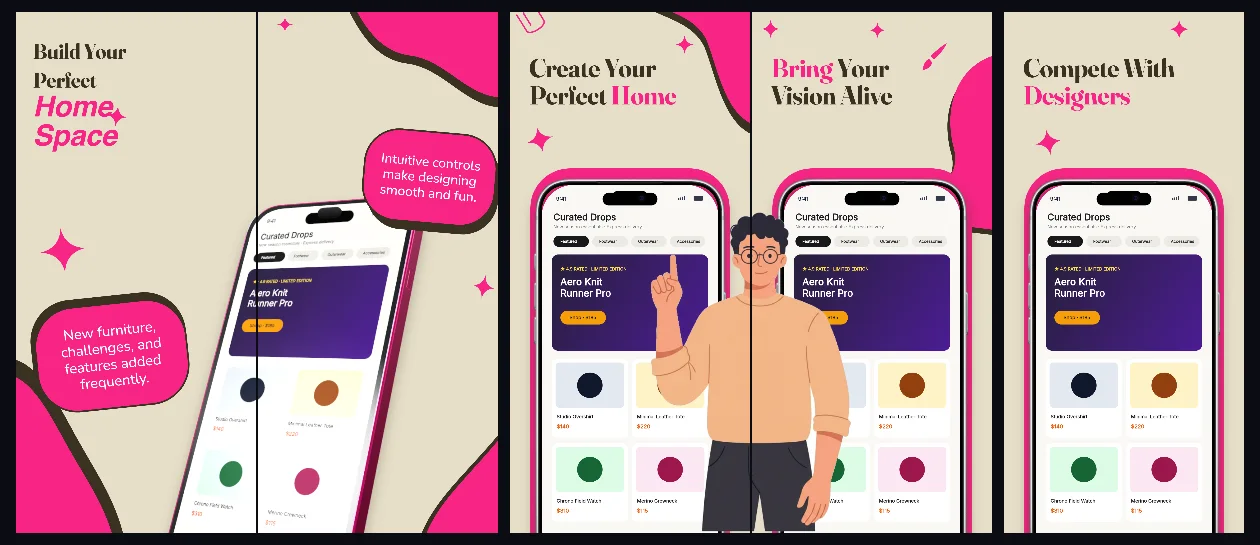
Every background fill, gradient stop and headline color remains editable in Studio.
Practical walkthrough
Use high-resolution interior or product imagery inside each capture.
Keep typography dark charcoal on the warm stone canvas.
Maintain consistent margin breathing room across all five panels.
Interior design and AR room planners
Real estate, architecture and home shopping
Photography-forward minimal apps
HomeSpace avoids loud gradients so natural photography tones inside your app remain accurate and uncompeted.
Questions
Yes. Upload your own PNG, JPEG or WebP app captures when creating the project and every device slot updates automatically.
Yes. The template opens as structured text, image, device and vector layers—never a flattened bitmap.
Yes. Connect https://appscreendesign.com/mcp in Claude, ChatGPT, Cursor or Codex and use the copyable prompt on this page.
Start with a composition. Keep every detail editable.