A clear starting point
Audiobook players and e-book readers
5-panel template
Warm sunlit parchment and amber accents with 3D connected iPhones crafted for audiobooks, e-readers and long-form storytelling.
Free plan ($0 forever) · Pro $69/yr · No credit card required
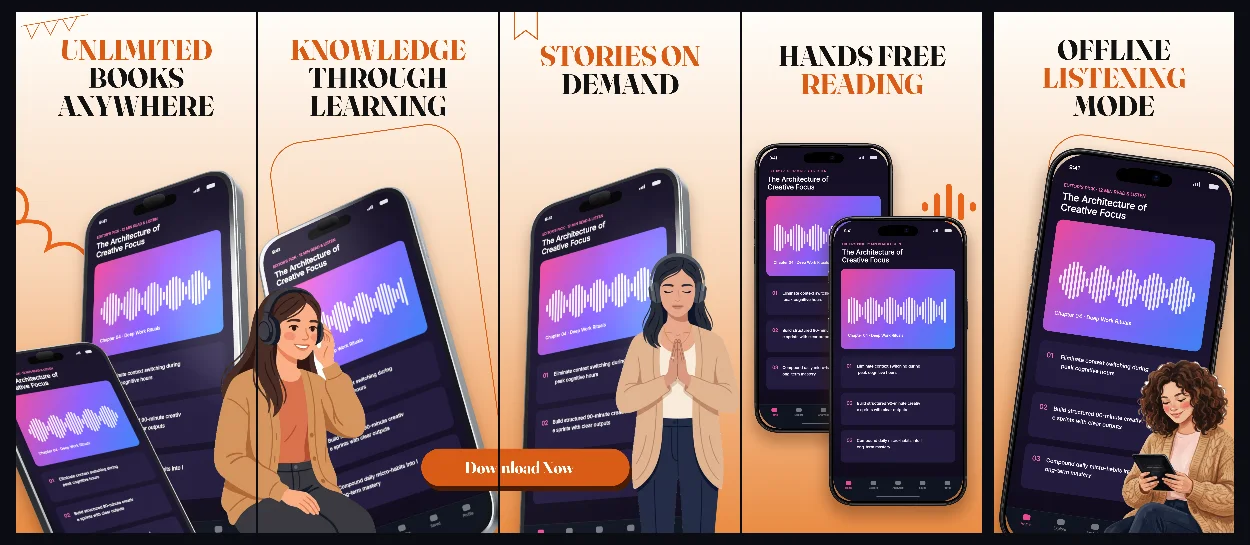
Every background fill, gradient stop and headline color remains editable in Studio.
Practical walkthrough
Feature full-bleed cover art or clean reader typography on screen 1.
Follow with sleep timers, bookmarks, CarPlay/offline support and shelves.
Test warm background tones alongside dark-mode reader screenshots.
Audiobook players and e-book readers
Podcasts, essays and serial fiction
Warm paper-inspired interfaces
ChapterOne echoes physical book design with soft cream-to-amber transitions while giving 3D device scenes modern store presence.
Questions
Yes. Upload your own PNG, JPEG or WebP app captures when creating the project and every device slot updates automatically.
Yes. The template opens as structured text, image, device and vector layers—never a flattened bitmap.
Yes. Connect https://appscreendesign.com/mcp in Claude, ChatGPT, Cursor or Codex and use the copyable prompt on this page.
Start with a composition. Keep every detail editable.