Design all 10 panels side-by-side
See visual rhythm, headline alignment and panoramic bridges across your entire App Store set simultaneously.
Comparison
Rotato made macOS 3D mockups famous. AppScreenDesign brings interactive 3D device rendering into any modern browser alongside 5-panel connected storyboards, 50 App Store locales, and headless server/MCP automation.
Runs in any modern browser (macOS, Windows, Linux) + Cloud APIFull 1–10 panel sequence board with cross-panel panoramasBuilt-in App Store Connect locale managementFree plan ($0 forever) · Pro $69/yr · No credit card required
Side-by-side comparison
| Capability | AppScreenDesign | Rotato |
|---|---|---|
| Platform requirements | Runs in any modern browser (macOS, Windows, Linux) + Cloud API | macOS desktop application |
| Multi-panel store sets | Full 1–10 panel sequence board with cross-panel panoramas | Primarily single-scene 3D mockup & video focus |
| 50-locale store matrix | Built-in App Store Connect locale management | Manual per-scene text swaps |
| Headless CI & AI Agent MCP | Remote OAuth MCP + REST API server rendering | Desktop GUI workflow |
| Device ecosystem | iPhone, iPhone Duo, iPad Pro, Watch, Mac, Vision Pro & Android | Apple-focused desktop scenes |
Comparison reflects publicly documented capabilities and standard subscription models as of 2026. All third-party product names belong to their respective owners.
Practical walkthrough
Combine real-time 3D device rendering with multi-panel App Store storyboards in your browser.
Edit 5–10 connected or standalone 3D scenes on one unified storyboard in Chrome or Safari.
Dial in exact pitch, yaw, roll and physical contact shadows per panel.
Trigger deterministic high-DPI exports from macOS, Windows, Linux or headless CI pipelines.
See visual rhythm, headline alignment and panoramic bridges across your entire App Store set simultaneously.
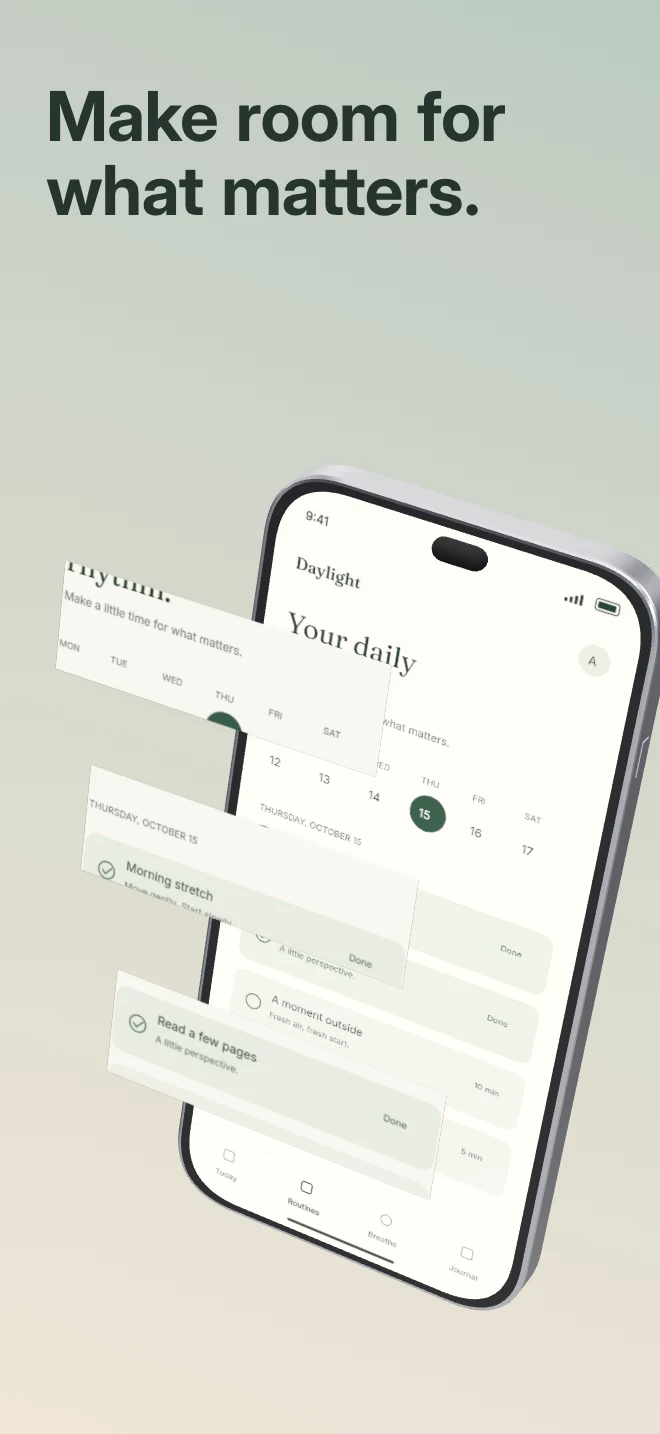
Float cropped UI cards in front of angled 3D hardware with independent depth and shadows—all editable in the browser.
Render updated 3D store screenshots from Linux CI runners or AI agents without needing a local Mac GUI session.
If your primary goal is exporting animated 3D promo MP4s on macOS, Rotato specializes in motion. If your goal is shipping, localizing and maintaining high-converting static 3D App Store & Google Play screenshot sets across devices and languages, AppScreenDesign is purpose-built for that job.
Test how your 3D renders actually look inside iOS Search results and Dark Mode product pages before uploading to App Store Connect.
Questions
Yes. Free ($0 forever) includes the full 3D browser studio, ready-made template library, Remote MCP access to test AI agents, and unlimited draft projects with watermarked preview exports.
Never. Every scene stays an editable multi-layer SceneDoc with live text, 3D hardware poses, backgrounds, vector badges and per-locale overrides.
No ($0 AI markup). Connect Claude, ChatGPT, Cursor or Codex via https://appscreendesign.com/mcp using the AI subscription you already have.
Start with a composition. Keep every detail editable.