A clear starting point
A distinct opening screenshot

Editable template
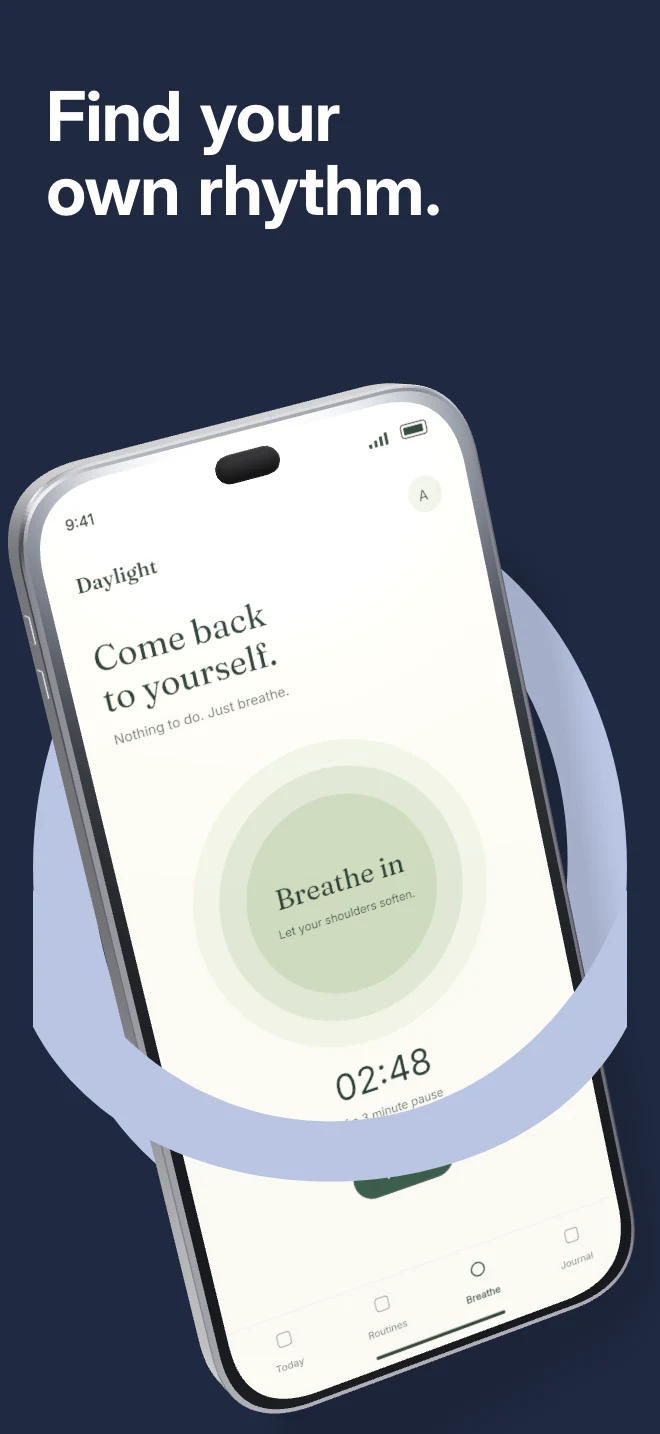
A tilted phone passes through a foreground arch. The editable vector shape frames the device while the scene handles physical overlap.
Free during early access · No card required
Counts come from the template recipe. Text layer count is per unique layer ID; capture inputs count distinct slots across the authored layouts. You can add screens and layers in the editor.
Practical walkthrough
Choose a capture with a clear focal area.
Match the arch and background to your brand palette.
Adjust the device pose while checking that the key UI remains visible.
A distinct opening screenshot
A launch with a bold brand color
A product that benefits from a strong visual frame
Portal works through the relationship between the arch and the device. Keep enough of the phone visible to identify the interface, and avoid adding a second decorative foreground object that competes with the arch. The vector contours and device geometry remain separate layers.
Questions
The public preview uses an illustrative app called Daylight. Upload your own real app capture when creating the project.
Yes. The template opens as editable text, image, device and shape layers. It is not a flattened screenshot.
Project history supports undo. Previously used templates also retain the saved edits for that project, family and localization.
Start with a composition. Keep every detail editable.